Introduction
Amazon imposes hard caps on keyword volume. If you ignore these limits, your bulk uploads will fail, and your campaign architecture will eventually collapse.
You need a clear map of these boundaries to scale past seven figures without hitting technical bottlenecks.
This article aims to show you exactly how the Amazon ad campaign keyword limit works across campaign types and why it directly impacts scalability.
How Many Keywords Does Amazon Allow In An Ad Campaign: A Clear Breakdown for Advertisers
Amazon imposes hard caps on keyword volume. If you ignore these limits, your bulk uploads will fail, and your campaign architecture will eventually collapse.
Part of the Amazon PPC guide · Chapter 2: Campaign structure and keywords
You need a clear map of these boundaries to scale past seven figures without hitting technical bottlenecks.
This article aims to show you exactly how the Amazon ad campaign keyword limit works across campaign types and why it directly impacts scalability.
Quick answer
Amazon Keyword Limits Per Campaign: Official Capacity Rules for 2026
When you are scaling a brand and building Amazon PPC campaigns, keyword limits are a structural reality. Amazon enforces strict numerical caps on every campaign type.
Exceeding these limits mid-process stops your momentum and forces you to re-evaluate your entire targeting strategy.
You need to plan your campaigns around these numbers from day one. Here is the breakdown of what Amazon allows.
Amazon's Official Keyword Limits by Campaign Type
Amazon's three main advertising campaign types each have different keyword capacity rules, and understanding these differences is crucial for campaign planning.
Sponsored Products Campaigns: Ad Group-Level Restrictions
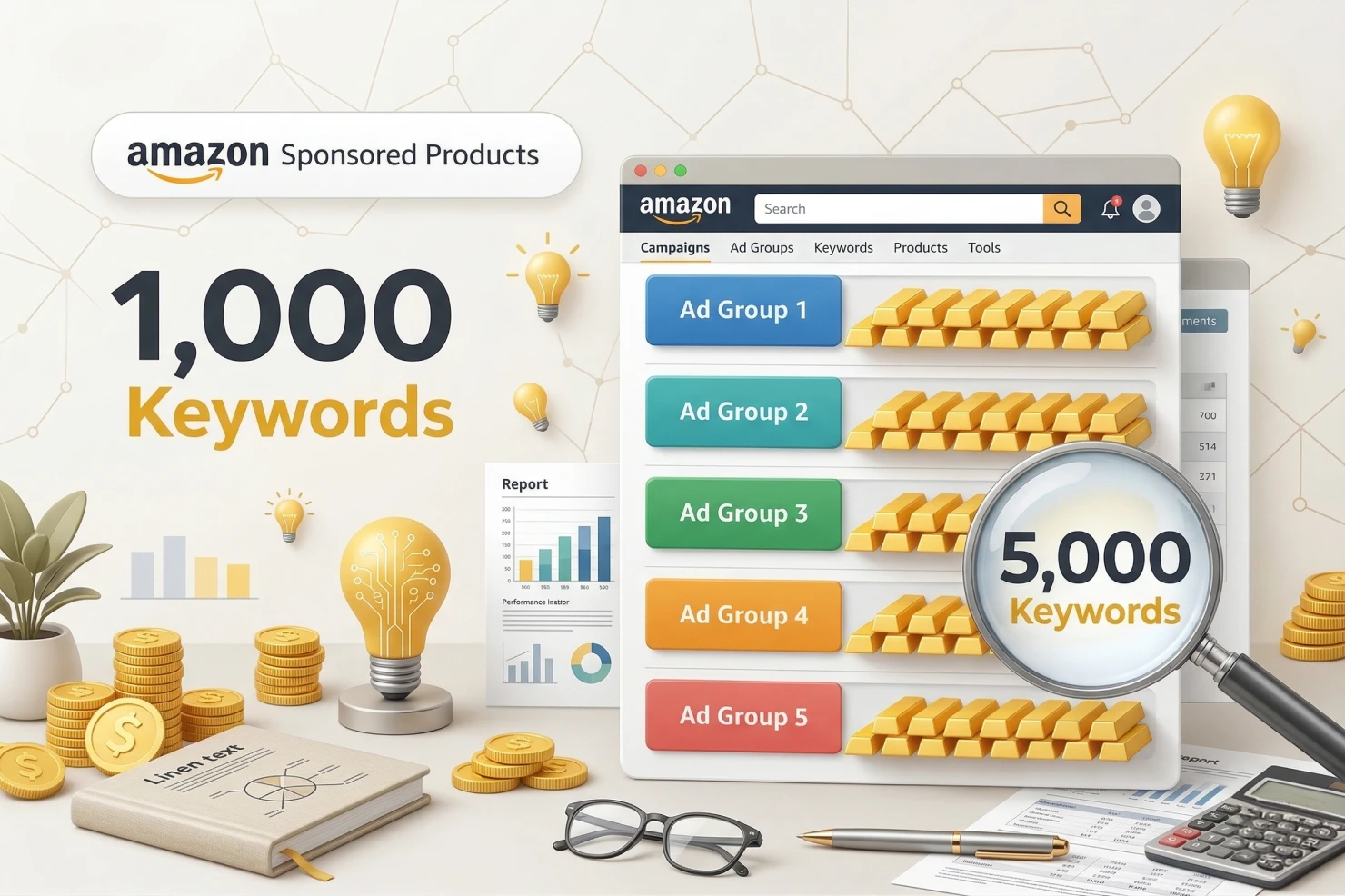
Amazon builds Sponsored Products around ad group limits. This is the most common campaign type and where most sellers run into trouble.
- Maximum of 1,000 keywords per ad group (positive targeting keywords).
- There is no separate campaign-level limit. The restriction lives entirely at the ad group level.
- You can include multiple ad groups in a single campaign. Each one gets a fresh 1,000-keyword allowance.
- A campaign with 10 ad groups could theoretically hold 10,000 keywords.
Why this matters: If you are managing a massive catalog, do not stuff every variation into one ad group. Tighter thematic grouping performs better and keeps you safely under the 1,000-keyword ceiling.
High-volume sellers use this structure to isolate high-performing themes for better bid control.
Sponsored Brands Campaigns: Campaign-Level Restrictions
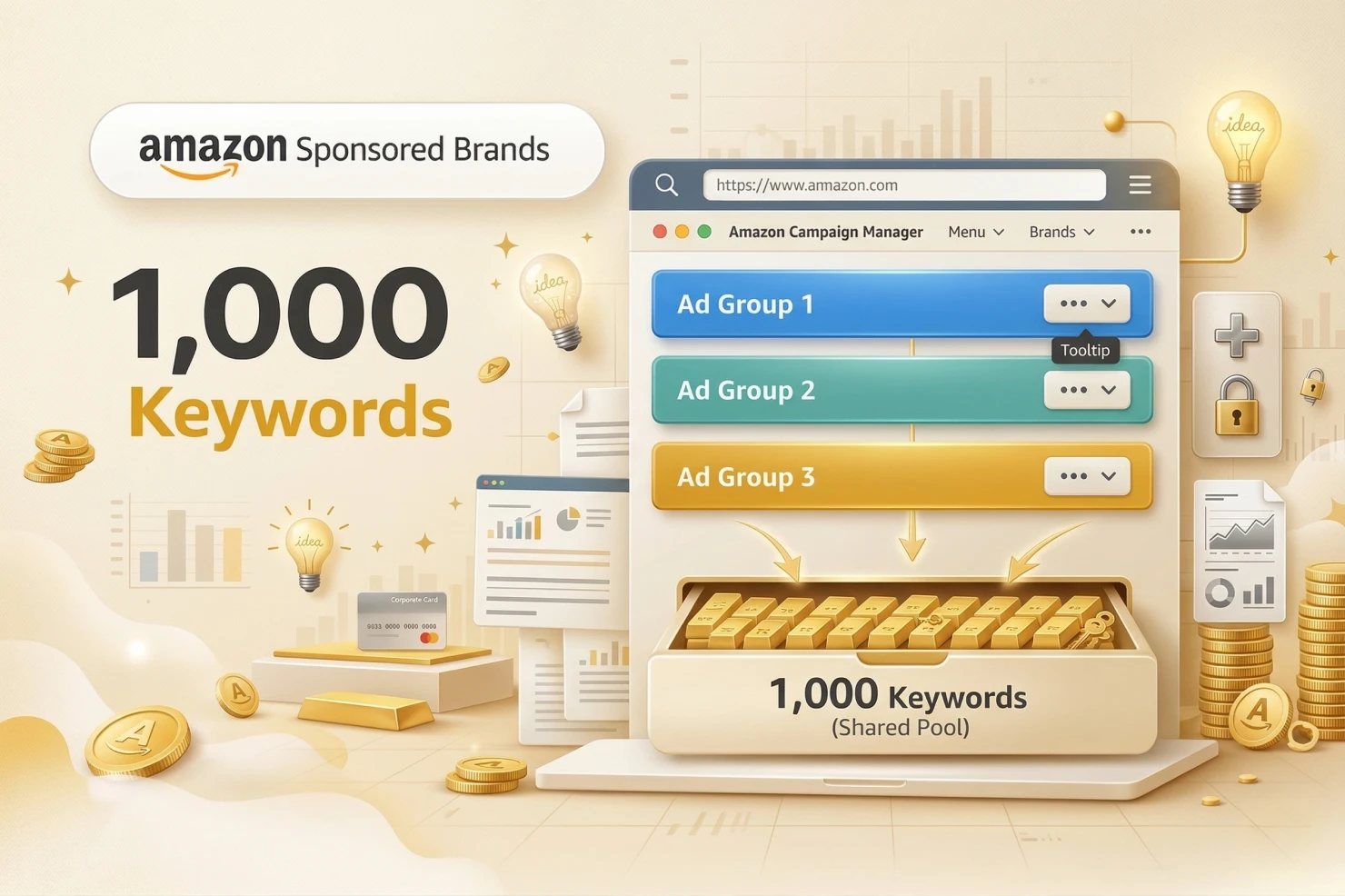
Sponsored Brands use a different logic. The keyword limit applies to the entire campaign, not individual ad groups.
- Maximum of 1,000 keywords per campaign.
- Keywords are shared across all ad groups within that specific campaign.
- If you create five ad groups in one Sponsored Brands campaign, they all pull from the same 1,000-keyword pool.
Strategic implication: You cannot scale Sponsored Brands horizontally by just adding ad groups. Once you hit the 1,000-keyword cap, you must launch an entirely new campaign. This forces you to be more selective with your targeting for headline ads and video placements.
Sponsored Display Campaigns: No Keyword Limits
Sponsored Display does not use traditional keyword targeting.
- This campaign type focuses on product targeting and audience targeting.
- Keyword limits do not apply because you are not bidding on search terms.
- The system relies on contextual targeting (ASINs and categories) and behavioral targeting (shopper interests).
- Instead of managing a list of words, you manage a list of ASINs, categories, or specific audience segments.
Bottom line: Use Sponsored Display when you want to bypass search term competition. It serves a different part of the funnel, but it frees you from the 1,000-keyword management headache.
Negative Keyword Limits: Separate Allowances
Here's where many advertisers get confused: negative keywords have completely separate limits from positive keywords. You're not choosing between positive and negative keywords; you get full allowances for both.
Campaign-Level Negative Keywords
- Up to 1,000 negative keywords per campaign
- These negatives apply across all ad groups within that campaign
- Useful for broadly excluding irrelevant search terms from your entire campaign
Ad Group-Level Negative Keywords
- Up to 1,000 negative keywords per ad group.
- These are additive. They do not subtract from your campaign-level allowance.
- One ad group can have 2,000 total exclusions (1,000 at the campaign level plus 1,000 at the ad group level).
Character and Word Restrictions for Negative Keywords
Amazon limits the complexity of your negatives to prevent accidental traffic suppression.
- Negative phrase match: Maximum of 4 words and 80 characters.
- Negative exact match: Maximum of 10 words and 80 characters.
Why this exists: These rules stop you from being too broad. A 10-word exact match negative is surgical. It blocks a specific, unwanted query without killing your reach for related, profitable terms.
Checking Keyword Count: Track Your Campaign Capacity in Real-Time
Before you hit Amazon's keyword limits mid-campaign, you need to know exactly where you stand. Monitoring your current keyword usage prevents unexpected upload failures and helps you plan campaign expansions strategically.
Here's how to track your keyword count across different methods.
Finding Your Keyword Count in the Advertising Console

The console hides this information unless you know where to click.
- Navigate to Campaign Manager: Log in and select the specific campaign you want to audit.
- Access the Keywords Tab: Click the tab at the top of the interface. This list includes active, paused, and archived terms.
- Check the Keyword Counter: Look at the bottom-left corner of the table. It will say "Showing 1-50 of 420 keywords." That total number (420) is your current count.
- Filter by Ad Group: For Sponsored Products, use the dropdown to check each ad group. You need to see which specific groups are nearing the 1,000-count limit.
Campaign Manager Dashboard View
The Campaign Manager dashboard provides a high-level overview, but it doesn't show keyword counts by default. To see keyword usage at a glance:
- Click into each campaign individually
- Navigate to the Keywords tab
- The keyword count appears at the bottom of the table once the page loads
Limitation: There's no single dashboard view showing keyword counts across all campaigns simultaneously. You'll need to check campaigns one by one or use bulk operations for comprehensive auditing.
Downloading Keywords via Bulk Operations for Full Audit
For advertisers managing multiple campaigns or approaching the 1,000-keyword threshold, bulk operations provide the most comprehensive keyword audit:
Step 1: Access Bulk Operations
- In Campaign Manager, click Bulk Operations from the top menu
- Select Download from the dropdown options
Step 2: Choose What to Download
- Select Keywords from the entity type options
- Choose specific campaigns or download all campaigns
- Click Download to generate your spreadsheet
Step 3: Analyze Your Keyword Count in Excel/Sheets
- Open the downloaded file
- Filter by Campaign ID or Campaign Name to see all keywords in specific campaigns
- Filter by Ad Group to check ad group-level keyword counts for Sponsored Products
- Use Excel's COUNTA function or pivot tables to count keywords per campaign/ad group quickly
Pro tip: Sort by the State column to see only "enabled" keywords. Paused and archived keywords still count toward your 1,000-keyword limit, so include them in your audit.
Why Monitoring Keyword Count Matters Before Scaling
Tracking keyword volume is a core part of account hygiene. It keeps your operations efficient and prevents technical delays.
Prevents Upload Failures
If you try to push 500 new keywords into an ad group that already has 700, Amazon will reject the entire batch. You will spend hours debugging a spreadsheet only to realize it was a capacity issue. Know your numbers before you hit "Upload."
Enables Strategic Keyword Rotation
When you approach 1,000 keywords, you must become a better editor. You can swap out stagnant terms for new experimental ones. Regular audits show you where you have "oxygen" for new growth and where the account is bloated.
Supports Campaign Expansion Planning
If you're planning to scale from 10 products to 100 products, knowing your current keyword density helps you decide whether to add more ad groups, create new campaigns, or consolidate existing keywords.
Working with an Amazon account management agency can help you architect scalable campaign structures that anticipate keyword capacity constraints before they become bottlenecks.
Identifies Keyword Bloat Early
Campaigns with 900+ keywords are usually inefficient. They contain duplicates, low-intent terms, and "ghost" keywords that never get impressions. Auditing the count forces you to clean up the mess before the system forces your hand.
How many keywords per ad group do real Amazon accounts use?
Amazon's limits tell you the maximum. They don't tell you what works. So we pulled September 2026 Sponsored Products targeting data from 65 Amazon ad accounts we manage, across 40+ brands in the US, UK, EU, Canada, Mexico and Australia. That covers 3,017 keyword ad groups and 29,435 keywords. We counted active keywords only, meaning keywords that got at least one impression in the month.
The median ad group runs 2 keywords
Almost half of all keyword ad groups (48%) had a single active keyword, and 85% had 10 or fewer. Only 25 of 3,017 ad groups had 200 or more, and the biggest one had 711. No ad group reached Amazon's 1,000-keyword cap.
| Active keywords in the ad group | Share of ad groups | Share of keyword ad spend | Ad groups with at least 1 order | ACoS (all groups combined) |
|---|---|---|---|---|
| 1 keyword | 48% | 25% | 29% | 12% |
| 2 to 5 | 24% | 31% | 54% | 36% |
| 6 to 10 | 13% | 16% | 62% | 27% |
| 11 to 20 | 8% | 10% | 66% | 30% |
| 21 to 50 | 4% | 9% | 79% | 30% |
| 51 or more | 3% | 10% | 94% | 14% |
How to read this table: don't take it as proof that more keywords is better or worse. Single-keyword ad groups hold an account's proven winners and brand terms, which is why they run at a 12% ACoS combined, but only 29% of them got an order in the month. The rest are exact match keywords still being tested. The large groups with 51+ keywords are mostly mature, proven clusters. The middle costs the most per sale: ad groups with 2 to 20 keywords took 56% of keyword spend at a 27% to 36% ACoS.
Most campaigns have one ad group
90% of the campaigns in our data had exactly one ad group. That is the structure we use: one campaign per job, so each one gets its own budget and you can see right away what it spends. The result is that keywords per campaign and keywords per ad group are nearly the same: a median of 1, 6 or fewer for three out of four campaigns, and 13 or fewer for 90%. At account level, the median account ran 109 active keywords, and half ran between 44 and 263.
A few keywords drive almost all the sales
Only 16% of active keywords got at least one order in the month, and just 1.8% of keywords drove 80% of keyword sales. Keywords that got clicks and no sale took 10% of keyword spend. This is why adding more keywords rarely fixes a campaign. Finding the few that sell and giving them their own budget does.
Exact match has the lowest ACoS
| Match type | Active keywords | Conversion rate | ACoS |
|---|---|---|---|
| Exact | 13,620 | 14% | 16% |
| Phrase | 7,255 | 15% | 21% |
| Broad | 8,558 | 11% | 30% |
Exact match ran at the lowest ACoS, while broad match cost almost twice as much per sale. Phrase match converted best, because a phrase keyword only shows for searches that contain the whole phrase. Only 7% of our ad groups mix match types, which keeps these numbers clean and the bids easy to set.
Strategic Keyword Organization: Structuring Campaigns for Maximum Performance
Knowing Amazon's 1,000-keyword limit is one thing; knowing how to organize those keywords for optimal performance is what separates profitable campaigns from budget drains. The way you structure your keywords directly impacts bid control, budget efficiency, and your ability to scale without hitting capacity constraints.

Campaign Structure Strategies
The foundation of effective keyword organization starts with choosing the right campaign architecture for your goals.
Single Keyword Campaigns (SKCs) for Top Performers
Single Keyword Campaigns isolate your highest-converting keywords into dedicated campaigns where they get 100% of the budget. Use SKCs for:
- Keywords that drive a large share of your sales (in our data, 1.8% of keywords drove 80% of keyword sales)
- High-volume branded terms (your brand name + product type)
- Expensive keywords where precise bid control is critical
When your best keyword shares a campaign with 50 others, Amazon distributes impressions across all of them. In an SKC, every dollar goes to your proven winner.
Thematic Ad Group Clustering (5 to 15 Keywords Per Theme)
Group semantically related keywords into tightly themed ad groups of about 5 to 15 keywords. For example:
- Ad Group 1: "Wireless earbuds," "Bluetooth earbuds wireless," "true wireless earbuds."
- Ad Group 2: "Noise cancelling earbuds," "anc earbuds," "earbuds with noise cancellation."
- Ad Group 3: "Running earbuds," "workout earbuds," "sports earbuds waterproo.f"
This clustering allows you to set relevant bids for each theme and adjust seasonally (running keywords peak in January, noise-cancelling during work-from-home periods).
Match Type Separation (Exact, Phrase, Broad in Different Ad Groups)
Never mix-match types within the same ad group. Separate them into dedicated ad groups:
- Exact Match: Precise control, highest bids for guaranteed converters (14% conversion rate and 16% ACoS in our data)
- Phrase Match: Moderate bids for discovery and volume (15% conversion rate and 21% ACoS)
- Broad Match: Lower bids for keyword research (11% conversion rate and 30% ACoS)
When match types are mixed, you can't optimize bids appropriately for each type's performance characteristics.
Keyword Segmentation by Performance
Not all keywords deserve equal treatment; organize them based on actual performance data and strategic value.
High-Priority Keywords (Proven Converters)
Keywords with conversion rates above your account average and ACoS within the target range deserve:
- Dedicated ad groups or SKCs
- Aggressive bids to maintain top-of-search placement
- 60% of your total campaign budget
Testing Keywords (New or Unproven Terms)
New keywords need data before classification. Keep them in separate "testing" ad groups with:
- Moderate bids (start at suggested bid)
- 30-day evaluation period minimum
- Clear thresholds (we pause a keyword with zero sales after 14 days once it has spent twice what one sale earns before ad costs)
- 10% of the budget is allocated to discovery
Branded vs. Non-Branded Keyword Separation
Always separate branded keywords from generic keywords. Branded terms typically have:
- Much higher conversion rates
- Lower CPCs (less competition)
- Different customer intent (brand-aware vs. discovery)
Running them together makes performance data misleading; branded keywords inflate overall conversion rates, hiding poor performance from generic terms.
Budget Allocation Across Keyword Tiers
Strategic budget distribution ensures your best keywords get maximum exposure while leaving room for testing:
60% Budget to Top 20% of Keywords: If you have 100 keywords and 20 consistently drive sales profitably, allocate 60% of your daily budget to campaigns containing only these winners.
30% to Mid-Tier Performers: Keywords that convert but haven't proven themselves as top performers yet. These need a consistent impression share to gather enough data for promotion or demotion.
10% to Testing New Keywords: Reserve 10% for discovering new high-performers, including:
- Keywords harvested from automatic campaigns
- Competitor keywords identified through research tools
- Seasonal terms tested during relevant periods
- Long-tail variations of your top performers
This 60/30/10 split ensures your profitable keywords get priority while maintaining a pipeline of potential new winners.
Organize keywords so optimization decisions become obvious. When every keyword has a clear purpose and dedicated budget allocation, scaling becomes a matter of replicating what works rather than guessing which keywords deserve attention.
Planning Around Keyword Limits Simplifies Campaign Expansion
Keyword limits are the guardrails for your growth. When you understand these caps early, you build a structure that scales without friction. You get cleaner data, better bid control, and zero upload errors.
If your current structure is hitting these limits and your performance is stalling, it is time for a rebuild. At Olifant Digital, we help brands design Amazon frameworks that scale within these rules. If you need a campaign structure that actually grows, our Amazon PPC management team can audit your current setup.
Chapter 2 of the Amazon PPC guide
Campaign structure and keywords
- Amazon PPC campaign structure: the 1-1-1-1 Scaling Method
- How we structure keyword harvesting and negation on Amazon
- Amazon negative keywords: how to find, add and manage them
- How to analyze an Amazon search term report: Cut waste
- Amazon sponsored brands video: The underused ad format that drives new-to-brand acquisition
- Amazon new-to-brand strategy: Scale without killing margins
- Amazon Brand Tailored Promotions: Retargeting cart abandoners and past buyers
Frequently asked questions
How many keywords should you put in one Amazon ad group?
Fewer than most sellers think. Across 65 Amazon ad accounts we manage, the median keyword ad group had 2 active keywords and 90% had 15 or fewer. We use 1 keyword per exact match ad group for proven winners and about 5 to 15 closely related keywords per phrase or broad ad group, so every keyword in the group can share one bid.
How many keywords should an Amazon PPC campaign have?
In our accounts, 90% of campaigns have one ad group, so a campaign usually holds the same keywords as its ad group: a median of 1 and 13 or fewer for 90% of campaigns. One campaign per job keeps budgets separate and makes it easy to see what each group of keywords spends.
How many keywords can you add to a Sponsored Products ad group?
Sponsored Products campaigns allow a maximum of 1,000 positive targeting keywords per ad group, not per campaign. Since the limit lives at the ad group level, you can add multiple ad groups to a single campaign, each with its own fresh 1,000 keyword allowance, allowing a campaign with 10 ad groups to theoretically hold 10,000 keywords.
Is the keyword limit different for Sponsored Brands campaigns?
Yes, Sponsored Brands applies its 1,000 keyword limit at the campaign level rather than per ad group. All ad groups within that campaign share the same pool, so adding more ad groups does not increase capacity. Once you hit 1,000 keywords, you need to launch a new campaign to keep targeting more terms.
Do Sponsored Display campaigns have a keyword limit?
No, Sponsored Display does not use keyword targeting, so keyword limits do not apply. It relies on contextual targeting through ASINs and categories, plus behavioral targeting based on shopper interests. Instead of managing a keyword list, you manage ASINs, categories, or audience segments, which removes the 1,000 keyword ceiling entirely.
How many negative keywords can you add to a campaign?
You can add up to 1,000 negative keywords at the campaign level and up to 1,000 more at the ad group level. These allowances are additive, not shared, so one ad group can have 2,000 total exclusions. Negative phrase match is limited to 4 words and 80 characters, while negative exact match allows up to 10 words and 80 characters.
How can I check how many keywords are currently in my campaign?
You can check your keyword count in the Advertising Console by opening Campaign Manager, selecting a campaign, and viewing the Keywords tab, where the counter at the bottom left shows the total. For auditing multiple campaigns, use Bulk Operations to download keyword data and filter by Campaign ID or Ad Group in a spreadsheet.
Related articles
.webp)
Alex is the founder and CEO of Olifant Digital, where his team manages over $100M in annual client revenue across 50+ e-commerce brands. He sets the agency's strategy and methodology, audits client accounts, and reviews the team's work to make sure every brand is on track to hit its growth and profitability goals. He also leads team training, so the performance data and lessons from across all accounts shape how every account manager runs their clients.


.png)
Mike reviews every Amazon article on this blog for strategic and technical accuracy before it publishes. As Director of Amazon Growth at Olifant Digital, he sets marketing strategy across client accounts and personally audits PPC at every stage of growth. He brings 8 years of daily Amazon operations across 7 and 8-figure brands including Beauty by Earth, Ekster, and Bullstrap, the kind of hands-on depth most agency directors delegate away.