


Amazon Inventory Management That Keeps Best Sellers in Stock
Olifant Digital plans your stock per ASIN, sets replenishment priorities, watches inbound shipments, FBA capacity and AWD, claims back lost or damaged units, and runs your ads around the stock you really have, so you stop losing rank to stockouts and money to storage fees.
 Dog shampooBest seller11 daysArriving in 9 daysCut bids until stock lands
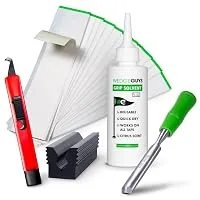 Golf wedgeHero product64 daysNone neededPush: raise budget
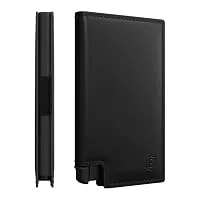 WalletCore variation38 daysOrder due in 2 weeksKeep at current level
 Nail careNew launch190 daysOver six monthsCoupon to clear excess
Demo plan. Product images are from brands we manage; stock days and actions are examples, not their data.
Eight parts of Amazon inventory we run for you
Inventory sits inside your Amazon account plan, next to ads, listings and account health, so stock and spend never pull in different directions.
Stock cover per ASIN
Days of stock for every product from its own sales speed, not one reorder point for the whole catalog.
Replenishment priorities
Which products to reorder first and by when, based on sales speed and your lead times. You keep control of purchasing.
Ads that follow stock
A push, keep or cut plan per product, so ads never spend on a product that is about to run out.
Inbound shipments
Shipments watched from your warehouse to FBA. When receiving slows down, we open the case with Seller Support.
FBA capacity and AWD
Monthly capacity limits and AWD allocation planned before the order ships, so stock is not left waiting.
Excess and aged stock
Slow products found before storage and aged inventory fees grow, then cleared with coupons, deals or a removal plan.
Deals and Q4 stock
Every Lightning Deal, Best Deal and Prime event checked against the units you will really have that week.
SKUs and catalog
SKU, variation and marketplace setup that keeps Amazon's stock count right when stock sits in more than one warehouse.
“Olifant Digital has our Amazon account in great hands. Our ACoS came down month after month while we spent less, and their team catches listing, inventory and catalog issues before we have to ask.”
Three inventory problems that cost Amazon brands sales
Each problem comes with the way we handle it, from ads that follow stock to replenishment priorities per product.
Ads keep spending on a product that is about to run out

The best seller has ten days of stock left, and the campaigns are still scaling it. Then it goes out of stock and the rank goes with it.
When ads and inventory sit with different people, nobody lowers the bids in time. After a stockout, organic rank and the ad history take weeks to come back.

Ads follow your stock, product by product.
Every week each product gets a push, keep or cut decision based on its days of stock and the next shipment. Budget moves to products that can sell, before anything runs out.
Example plan. Every product gets its own decision, reviewed every week.
One reorder rule for the whole catalog
Everything is reordered on the same schedule. Fast sellers run out while slow ones fill the warehouse.
Sales speed, seasonality and lead times differ by product. A single reorder point means some ASINs are always short and others pay storage fees every month.
Replenishment priorities per ASIN.
We calculate days of stock per product from its own sales speed and your lead times, and tell you what to reorder first and by when. You keep control of purchasing.
One rule for every product
Same reorder date for the catalogNo lead time per supplierSeasonality ignoredShort and overstocked at oncePriorities per ASIN
Days of stock from each product's salesYour lead times built inPeaks planned aheadThe right units, on timeYou place the orders with your manufacturer. We tell you what to order first and by when.
Stock that is stuck instead of selling
Units sit in an inbound shipment that has not been received, over a capacity limit, or in aged stock nobody is clearing.
FBA capacity limits, AWD allocation, receiving delays and aged inventory fees all eat margin quietly until someone checks.
We watch inbound, capacity and aged stock.
Shipments are tracked to receiving, capacity is planned before the order ships, and slow stock is cleared with coupons, deals or a removal plan before fees grow.
Checked every week, so stuck units are found while they can still sell.
Data shows what will run out. Specialists decide what to do.
Olifant AI supports the analysis of Sponsored Ads data alongside your stock levels, so we see which products are selling faster than their stock allows and which ones are sitting still. Specialists decide where to push, where to hold back and what to reorder first.





Hear it from the founders
Brand owners on working with the team that runs their Amazon accounts.


Meet your Amazon inventory team

Account manager

Catalog and account health

PPC specialists

Listing specialists

Designers
Video editors
Why brands choose Olifant Digital for Amazon inventory management
What you get when we work together.

Stock and ads together

A plan per product

Problems found early

You keep purchasing
How Olifant Digital compares
| Olifant Digital | Inventory software | Doing it yourself | |
|---|---|---|---|
| Days of stock | Per ASIN, from each product's own sales | Per ASIN, from the tool's forecast | A spreadsheet, when there is time |
| Reorder priorities | Sent to you, with dates and quantities | Suggested in the tool | Gut feel |
| Ads | Push, keep or cut per product every week | Not connected | Changed after the stockout |
| Inbound and reimbursements | Tracked to receiving, lost units claimed back | Status only | Checked when sales drop |
| FBA capacity and AWD | Planned before the order ships | Shown, not planned | Found out at shipping |
| Aged and excess stock | Cleared with coupons, deals or removals | Flagged | Found on the fee report |
| Deals and Q4 | Checked against real stock | No | Rarely |
| Who runs it | Amazon specialists with 7+ years on Amazon | Your team | You |
Swipe to compare →
How your inventory management starts
Before you commit, you see which products are close to running out, which ones are building fees, and what we would change first.

Tell us about your stock
Share your brand, your best sellers, your lead times and any recent stockouts or storage fee problems.

Get your stock plan
You get the products at risk, the excess stock and the first reorder priorities, plus the team who would run it.

Meet your team
Meet the account manager and specialists who would run your stock and ads, then agree the first steps.
If performance does not improve in 60 days, we refund our management fees.

Frequently asked questions about Amazon inventory management
Don’t see your question? We’ll cover it during your free Amazon marketing plan.
What does Amazon inventory management include?

Do you place purchase orders with my manufacturer?
How do you keep my best sellers in stock?
What happens to my ads when stock runs low?
Why does running out of stock hurt my organic rank?
How do you handle FBA capacity limits and AWD?
How do you reduce storage and aged inventory fees?
Do you handle FBA reimbursements?
Is inventory management a separate service?
