


Introduction
Amazon reportedly runs thousands of ad auctions every second, yet most sellers never realize how often they're bidding against themselves.
Even stranger? Two identical products can pay wildly different CPCs for the same click.
That is why learning how to reduce Amazon PPC costs isn't about finding a secret hack or a magic software tool. It is about understanding how Amazon rewards efficiency.
This guide breaks down exactly what controls your ad spend. We are going to look at the specific levers you can pull to scale smarter without feeding the algorithm unnecessary dollars.
How To Reduce Your Amazon PPC Costs: Stop Overpaying for Clicks and Scale Smarter
Amazon reportedly runs thousands of ad auctions every second, yet most sellers never realize how often they're bidding against themselves.
Even stranger? Two identical products can pay wildly different CPCs for the same click.
That is why learning how to reduce Amazon PPC costs isn't about finding a secret hack or a magic software tool. It is about understanding how Amazon rewards efficiency.
This guide breaks down exactly what controls your ad spend. We are going to look at the specific levers you can pull to scale smarter without feeding the algorithm unnecessary dollars.
Cutting Amazon Ad Spend: 10 Proven Steps to Lower Your PPC Costs
Reducing your Amazon PPC costs does not mean you have to sacrifice your sales volume. That is the biggest fear sellers have - "If I cut spend, my ranking drops."
But that only happens if you cut the good spend. The goal here is to eliminate the waste and optimize the things that are already working.
The strategies below typically help sellers cut costs by 25-50% within about 60 to 90 days. Often, sales volume actually improves because you are taking budget away from losers and giving it to winners.
Each step targets a specific area where most sellers unknowingly drain their advertising budget.
Step 1: Implement Negative Keywords to Eliminate Wasted Spend
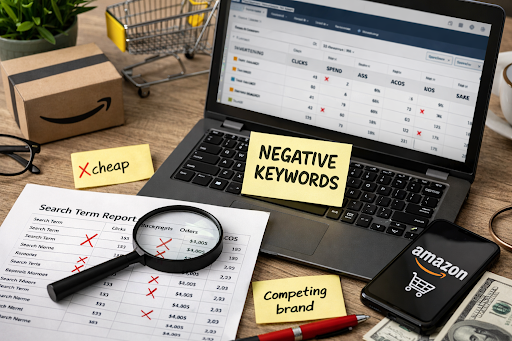
Negative keywords are your first line of defense against irrelevant clicks that drain your budget. Most sellers leave thousands of dollars on the table by not regularly reviewing which search terms trigger their ads.
Here's exactly how to do it:
- Navigate to Advertising > Reports > Search Term Report and download the last 60 days of data
- Sort by spend from highest to lowest
- Identify any search terms with $10+ in spend and zero conversions
- Add these as negative exact matches in Campaign Manager
- Repeat this process weekly for the first month, then bi-weekly
Example: If you're selling "protein powder chocolate," you might discover your ads are showing for "protein powder recipes," "protein powder cookies," or "protein shake blender."
These searches indicate informational intent or interest in accessories, not your product. Adding these as negatives immediately stops wasted spending.
Pro Tip: Create negative keyword lists by theme (informational queries, competitor brands, wrong product attributes) and apply them at the campaign level for faster implementation across multiple campaigns.
Expected Impact: 15-25% immediate cost reduction in the first 30 days
Step 2: Reduce Bids on Low-Converting Keywords

Not all keywords deserve the same bid, yet many sellers use uniform bidding across their campaigns. Identifying and adjusting underperforming keywords can significantly reduce costs without impacting profitable sales.
Follow this process:
- Go to Campaign Manager > Select your campaign > Keywords tab
- Sort keywords by ACOS from highest to lowest
- For keywords with ACOS >50% (or 2x your target): reduce the bid by 30%
- Not sure what your current ACoS is? Run it through our free Amazon ACoS Calculator first! You need that number before you can identify which keywords are actually overspending.
- For keywords with 50+ clicks and zero orders: reduce the bid by 50% or pause entirely
- Monitor performance for 14 days before making further adjustments
After two weeks, re-evaluate these keywords. If they still underperform, consider pausing them completely and reallocating that budget to proven winners.
Pro Tip: Don't make bid changes based on just a few days of data. Amazon's algorithm needs at least 7-14 days to stabilize after bid adjustments. Patience here prevents over-optimization.
Expected Impact: 10-20% cost reduction without significant sales loss
Step 3: Optimize Placement Bid Adjustments
Amazon allows you to bid differently for three ad placements: Top of Search, Product Pages, and Rest of Search. The default 50% placement modifier for Top of Search often wastes money if your products don't convert well in that premium position.
Optimization steps:
- Access Advertising Reports > Placement Report for the last 30 days
- Calculate ACOS separately for each placement: Top of Search, Product Pages, and Rest of Search
- If Top of Search ACOS exceeds your target by 40%+: reduce the placement modifier from 50% to 0-20%
- If Product Pages ACOS exceeds your target by 60%+: reduce the modifier to 0%
- Apply changes and monitor for 14 days
Many sellers discover that "Rest of Search" actually converts better at a lower cost than premium placements. This data allows you to reallocate the budget to where it performs best.
Expected Impact: 8-15% cost reduction on high-spend placements
Step 4: Restructure Campaigns by Match Type

Running all match types together in one campaign creates duplicate traffic where you're essentially bidding against yourself. Separating match types gives you precise control over costs.
Campaign structure to implement:
- Campaign A - Exact Match: Your proven converting keywords, moderate to high bids
- Campaign B - Phrase Match: Discovery mode for variations, 20-30% lower bids than exact match
- Campaign C - Broad Match: Exploration only, 40-50% lower bids than exact match
- Add negative exact matches in your broad match campaign for any term already performing in your exact match campaign
- Add negative phrase matches in your phrase match campaign for terms already performing in your exact match campaign
This structure ensures you pay the lowest possible price for each search query while preventing keyword cannibalization across campaigns.
Pro Tip: As keywords prove their value in broad or phrase campaigns, "graduate" them to exact match campaigns with higher bids. This creates a systematic funnel from discovery to optimization.
Expected Impact: 15-25% cost reduction by eliminating duplicate traffic costs
Step 5: Improve Your Main Image and Title for Higher Conversion Rates
Here's what most sellers miss: Amazon's ranking algorithm prioritizes sales velocity first and conversion rate second. When you improve your conversion rate, you trigger a compounding effect; more clicks convert to sales, sales velocity increases, rankings improve, and Amazon rewards this efficiency by lowering your cost-per-click.
Even a 1% improvement in conversion rate can reduce your CPC by 5-10%.
Quick optimization wins:
- Main image: Ensure white background, product fills 85% of the frame, and includes lifestyle context in secondary images
- Title optimization: Follow Amazon's proven formula: Brand Name + Product Type (Primary Keyword) – Primary Benefit | Supporting Features + What's Included, Size
- Include key differentiators (size, quantity, unique benefits) in the title
- Test these changes for 14 days to measure impact
Better images and titles directly impact your rankings through increased sales velocity, which then reduces what you pay per click through Amazon's quality score algorithm.
Expected Impact: 10-15% cost reduction as your quality score improves over time
Step 6: Pause Underperforming Automatic Campaigns
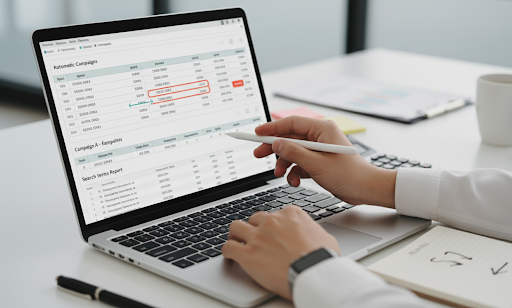
Automatic campaigns can be expensive discovery tools if left running indefinitely. Once they've served their purpose, it's time to extract the winners and pause the rest.
Here's the process:
- Review all automatic campaigns with >$200 in spend and ACOS above your target
- Download the search terms report from these campaigns
- Extract any keywords that generated conversions at an acceptable ACOS
- Add these winning keywords to manual exact match campaigns
- Pause the automatic campaign to stop the bleed
Automatic campaigns are excellent for discovery, but terrible for cost efficiency in the long term. This step ensures you keep the insights but eliminate the waste.
Expected Impact: 20-30% cost reduction from automatic campaign spend
Step 7: Lower Bids During Low-Converting Hours
If you're using third-party PPC software, you can implement dayparting, adjusting bids based on time of day performance. Most sellers discover significant differences in conversion rates between midnight and peak evening hours.
Implementation strategy:
- Use your PPC software to identify hours with high spend but conversion rates <50% of the average
- Reduce bids by 40-60% during 12 am-6 am if these hours underperform
- Maintain full bids during peak conversion hours (typically 6 pm-10 pm)
- Review weekly and adjust based on patterns
Not all products follow the same hourly patterns, so base your adjustments on your actual data rather than assumptions.
Expected Impact: 5-10% overall cost reduction
Step 8: Consolidate Budget to Top 20% Performing Keywords
The Pareto Principle applies perfectly to Amazon PPC: roughly 20% of your keywords generate 80% of your profitable sales.
Most sellers spread their budget too thin, trying to support hundreds of mediocre keywords. Reallocating budget to the winners improves overall efficiency.
Budget reallocation steps:
- Identify the top 20% of keywords generating the majority of your profitable sales.
- Increase daily budgets on these high-performing campaigns by 20%. Ensure they never run out of money.
- Decrease budgets for the bottom 50% of performers by 50%.
This isn't about spending more money overall; it's about spending smarter. You are directing the fuel to the engine that is actually driving the car.
Expected Impact: Improved ROAS while reducing total costs by 8-12%.
Step 9: Add Comprehensive Negative Keyword Lists
Beyond individual negative keywords, create organized lists that prevent entire categories of wasteful searches across all your campaigns.
Build these negative keyword lists:
- Informational queries: "how to," "what is," "tutorial," "review," "vs," "alternative."
- Competitor brands (unless you're deliberately targeting them)
- Free-seeking terms: "free," "cheap," "discount code," "coupon," "promo."
- Wrong attributes: Incorrect sizes, colors, quantities, or formats you don't sell
Apply these lists at the campaign level so every new campaign automatically excludes these wasteful terms from day one.
Expected Impact: 10-18% reduction in wasted clicks
Step 10: Set Up a Weekly Optimization Schedule

Consistency beats intensity when it comes to PPC optimization. A regular schedule ensures continuous improvement without overwhelming time commitment.
Your weekly optimization calendar:
- Monday (30 minutes): Review search terms from the past 7 days and add new negative keywords
- Wednesday (20 minutes): Adjust bids based on 7-day performance data
- Friday (15 minutes): Review placement reports and targeting performance
This 65-minute weekly investment creates a compounding effect, with each optimization building on previous improvements.
Expected Impact: Compounding 5-7% monthly improvements that accelerate over time
By implementing all 10 steps systematically over 60-90 days, most sellers achieve 25-50% cost reduction while maintaining 85-100% of their sales volume.
Beyond Campaign Manager: Tools That Scale PPC Cost Reduction
Once your manual PPC foundation is solid, tools and software can help you scale efficiency without increasing workload. Most sellers don't fail because they lack tools; they fail because they use automation before fixing fundamentals. The goal of PPC software isn't to replace strategy; it's to execute proven rules faster and more consistently.
Below is a clear breakdown of what tools are available, when they make sense, and whether they truly pay for themselves.
Amazon's Native PPC Tools (Free but Often Overlooked)
Amazon already provides several built-in tools that are more powerful than most sellers realize, and they cost nothing.
Key native tools include:
- Search Term Reports to identify wasted spend and negotiation opportunities
- Placement Reports to control Top of Search, Product Pages, and the Rest of Search costs
- Campaign & Targeting reports for keyword- and ASIN-level performance
- Budget rules and basic bid adjustments
These tools are enough to reduce PPC costs if you're disciplined and consistent. The downside is manual effort: pulling reports, analyzing data, and applying changes takes time and leaves room for human delay.
Best for: Small catalogs, early-stage brands, or sellers managing PPC hands-on.
Third-Party PPC Platforms: When Automation Adds Real Value
Advanced sellers often move to third-party platforms to speed up execution, not to "set and forget" PPC.
Commonly used tools include:
- Helium 10: Strong for keyword research, diagnostics, and basic PPC insights
- Perpetua: Focuses on rule-based bidding and budget automation
- Teikametrics: AI-driven optimization with deeper analytics and forecasting
What these tools do well:
- Automate bid increases/decreases based on rules
- Pause keywords or campaigns when performance thresholds are crossed
- Adjust bids by time of day or performance trends
- Centralize reporting across large accounts
They don't magically lower costs, but they apply your rules 24/7, which compounds savings over time.
When PPC Tools Make Sense (And When They Don't)
PPC software is most effective after you understand what good performance looks like.
Tools make sense when:
- You manage 50+ SKUs or hundreds of keywords
- Manual optimizations are slipping due to time constraints
- You already have clear negation, bid, and placement rules
- You want consistency, not experimentation
Manual management is often better when:
- Your account is small or newly launched
- You're still testing product-market fit
- You don't yet trust the data enough to automate decisions
Automation without clarity usually increases spend instead of reducing it.
Does PPC Software Actually Pay for Itself?
This is the question that matters.
PPC software delivers ROI when:
- Monthly tool cost is lower than the saved wasted spend
- Automation reduces CPC creep and budget leaks
- You reinvest saved time into listing optimization or expansion
For most established brands, even a 5–10% reduction in wasted ad spend covers the software cost. The real ROI often comes from time saved, and mistakes avoided, not just lower ACOS.
Rule of thumb: If you're spending $10,000+/month on Amazon PPC and still optimizing manually, a tool usually pays for itself.
The Smart Way to Use PPC Tools
Think of PPC tools as execution engines, not decision-makers.
Best practice:
- Define your manual rules first (negation thresholds, bid caps, placement logic)
- Use software to enforce those rules consistently
- Review performance weekly to ensure automation aligns with goals
This approach lets tools handle the repetitive work while you focus on strategy, reducing costs at scale without the manual grind.
Shift From Reactive Tweaks To Strategic Cost Control
Reducing Amazon PPC costs isn't about chasing ACOS daily or reacting to short-term swings. It is about eliminating waste, tightening control, and letting data guide every decision.
You need to look at the whole picture, from negatives and bids to placements, structure, and conversion optimization.
When you apply these steps consistently, PPC stops being a cost center and becomes a predictable growth lever that scales with discipline, not guesswork.
If you want help turning this framework into a repeatable, profit-focused system, we do exactly that at Olifant Digital. We don't just manage ads; we build cost-efficient PPC engines designed to scale smarter, not spend more.