

Introduction
Every day, Amazon quietly reshuffles search results based on sales velocity and conversion rate among other factors. As a result, some major changes can happen, even overnight.
This playbook on how to find competitors' keywords on Amazon is built for sellers who want to decode those shifts, understand what Amazon is rewarding behind the scenes, and stop relying on trial-and-error optimizations.
Discover Your Rivals' Top Keywords: 10 Proven Amazon Research Methods
Finding your competitors' keywords on Amazon is the fastest way to uncover high-converting search terms already driving sales in your niche. Rather than guessing, reverse-engineering competitor rankings gives you the same data foundation used across Amazon SEO services and in-house seller teams alike.
Combine 3-5 methods below for best results, mixing free manual techniques with tool-based approaches. Let's dive in.
Method 1: Reverse ASIN Lookup Using Third-Party Tools
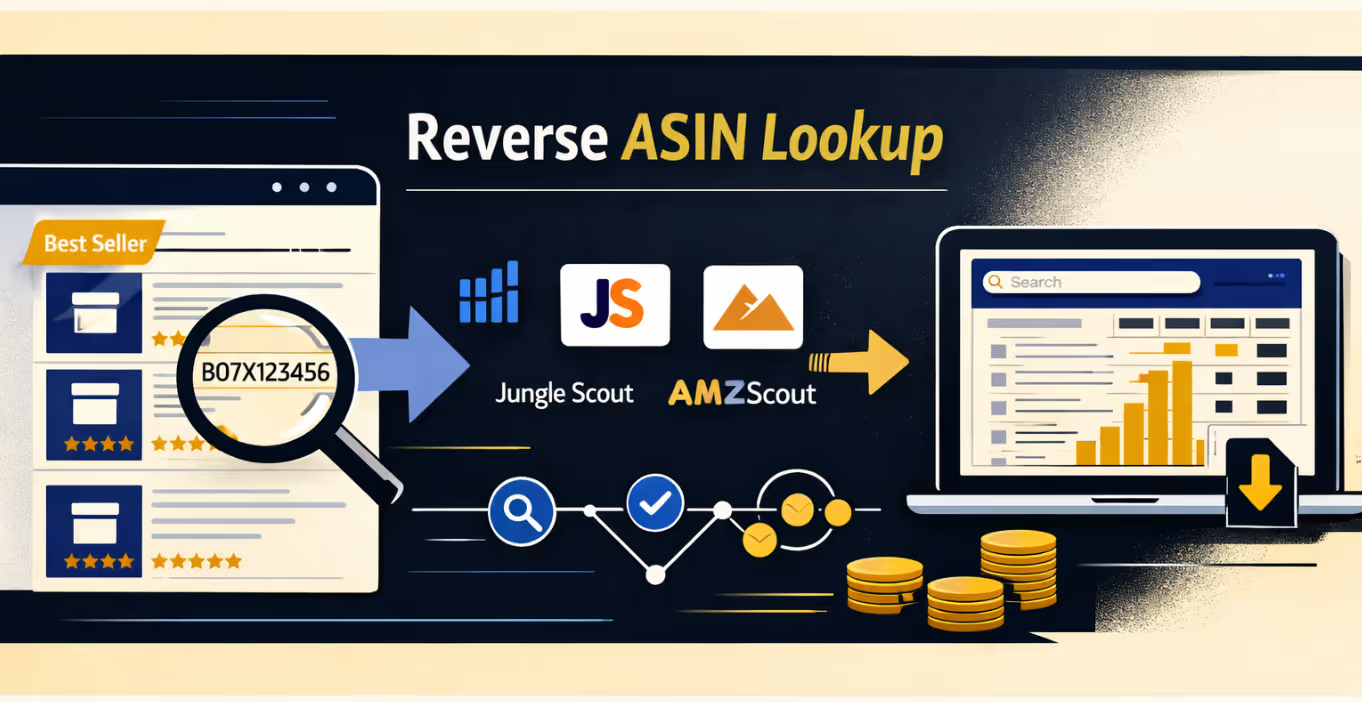
This method uncovers hundreds of competitor keywords in minutes by analyzing which terms a specific product ranks for organically.
Here's how to execute this method:
- Navigate to your product category and sort by "Best Sellers" or "Most Reviewed."
- Copy the ASIN (10-character code in product URL) from 5-10 top competitors
- Open DataDive Helium10 Cerebro, Jungle Scout, or AMZScout
- Paste competitor ASIN(s) and set filters: search volume (minimum 100), word count (2-5 words)
- Download the report and filter by relevance score (above 7/10)
Pro tip: Run multiple ASINs simultaneously to find keyword overlaps; these represent the most critical terms in your niche.
Method 2: Manual Amazon Search Bar Analysis
Amazon's autocomplete shows you real search terms customers actually type, tapping directly into Amazon's internal data for free.
Follow this systematic approach:
- Open Amazon in incognito mode for unbiased suggestions
- Type your main keyword (e.g., "yoga mat"), but don't press enter
- Write down all 10 autocomplete suggestions
- Add alphabet letters after your keyword ("yoga mat a", "yoga mat b", etc.)
- Repeat with modifiers like "best yoga mat", "yoga mat for", "yoga mat with."
This technique yields 200-500 long-tail keywords representing actual customer search behavior with proven volume and commercial intent.
Method 3: Amazon Brand Analytics (For Brand-Registered Sellers)
Brand Analytics provides first-party data straight from Amazon's system, the most accurate keyword intelligence available.
Access this premium data source:
- Log in to Seller Central → Brands > Brand Analytics
- Click "Amazon Search Terms" report
- Enter your main keyword and view the top terms by search frequency rank
- Cross-reference competitors' ASINs to see which terms drive their traffic
- Export data showing search term, click share, and conversion share
- Analyze "Market Basket Analysis" to see related products that customers view
This shows not just keywords, but which products win clicks and conversions for each term, invaluable competitive intelligence.
Method 4: Competitor Listing Deconstruction
Your competitors have already optimized their listings. Systematically analyze their content to extract their keyword strategy.
Deconstruct listings using these steps:
- Copy competitor's entire title and identify the primary keyword (first 3-5 words)
- Copy all bullet points and highlight repeated phrases, these indicate priority keywords
- Right-click → "View Page Source" → search "description" to read backend HTML
- Document keywords in A+ Content modules and comparison charts
- Use a keyword density analyzer to find 2-3 word phrases appearing 3+ times
Example: If "non-slip surface" repeats in the title, bullets, and description, it's a conversion-driving phrase worth targeting.
Method 5: Customer Review Mining
Reviews reveal the exact language your audience uses, often very different from industry jargon.
Extract keywords from reviews:
- Read top positive reviews (4-5 stars, "Verified Purchase")
- Note exact phrases describing the product and pain points solved
- Analyze critical reviews (1-3 stars) for unmet customer expectations
- Use Helium 10 or ReviewMeta to export review text
- Run text through a word cloud generator and extract frequent 2-4 word phrases
Reviews are goldmines for long-tail keywords because customers naturally describe use cases and benefits in their own words.
Method 6: Amazon Q&A Section Analysis
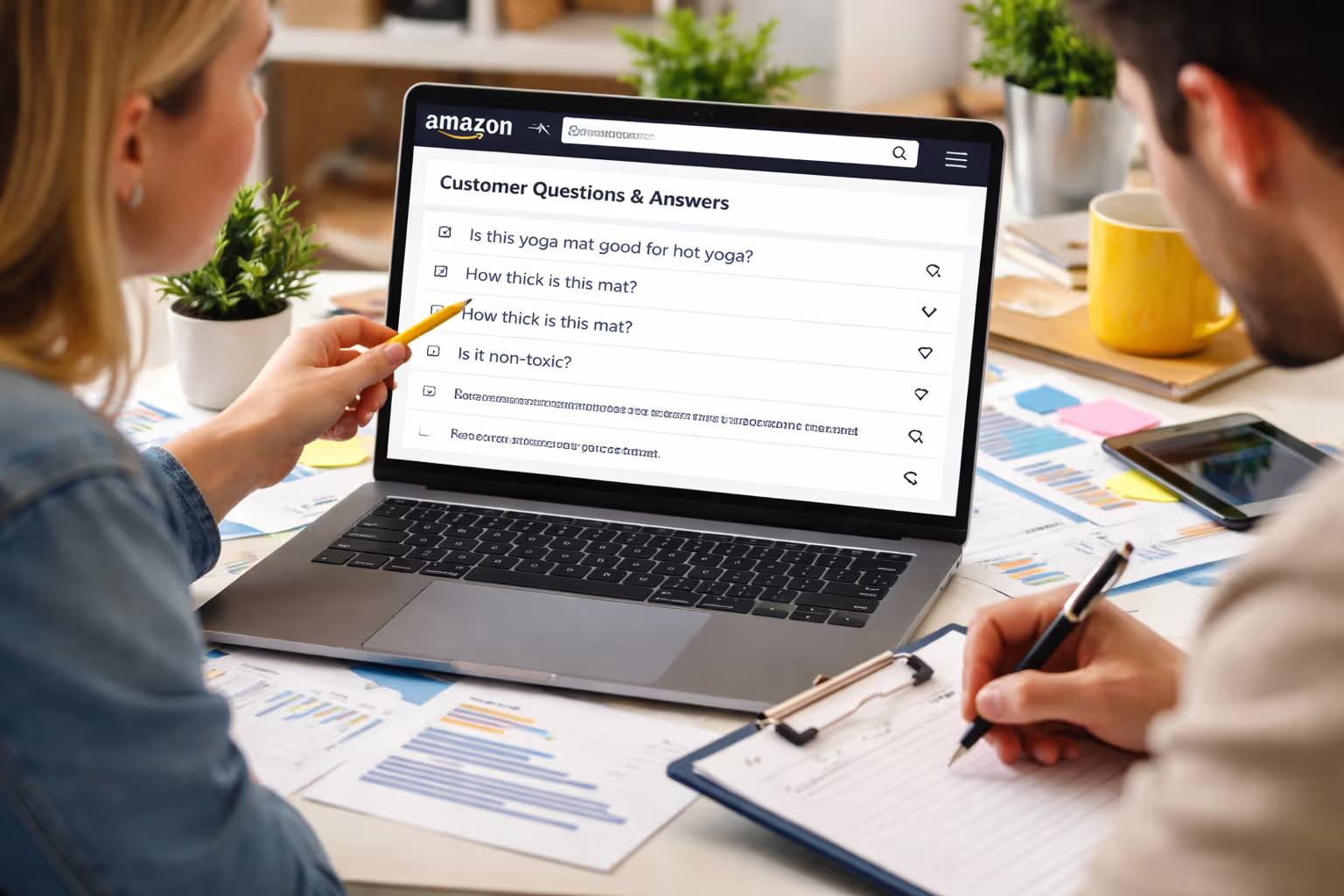
The Q&A section shows what customers want to know before purchasing, revealing search intent and keyword opportunities.
Mine the Q&A strategically:
- Scroll to "Customer Questions & Answers" on competitor listings
- Read the top 20-30 questions
- Note specific features, compatibility questions, and specifications asked about
- Document question phrasing patterns; these reveal actual search language
Example: Multiple "Does this work with hot yoga?" questions indicate "hot yoga mat" is a valuable keyword.
Method 7: Sponsored Product Ad Reconnaissance
Competitors only pay to advertise on profitable keywords. Identify sponsored positions to build a high-value keyword list.
Identify paid keyword opportunities:
- Search your main product keyword on Amazon
- Note "Sponsored" products (first 3-5 results typically)
- Click through to these listings, bidding confirms profitability
- Add keywords to your PPC target list
- Use Amazon Attribution (if available) to track competitor PPC keywords
This ensures you target keywords with proven buyer intent, not just high volume. The data you gather here directly informs your Amazon marketing services strategy, helping you allocate ad spend to keywords competitors have already validated as profitable.
Method 8: "Customers Who Viewed This Also Viewed" Analysis
This section reveals semantic keyword relationships and adjacent search terms customers use when exploring your category.
Leverage Amazon's recommendation engine:
- Scroll to "Customers who viewed this item also viewed."
- Click through to 5-10 related products
- Extract keywords from those product titles
- Create a keyword association map showing how terms relate
Products here indicate that customers searching competitor keywords also search related terms, perfect for expanding keyword coverage.
Method 9: Amazon Auto-Suggest in Different Categories
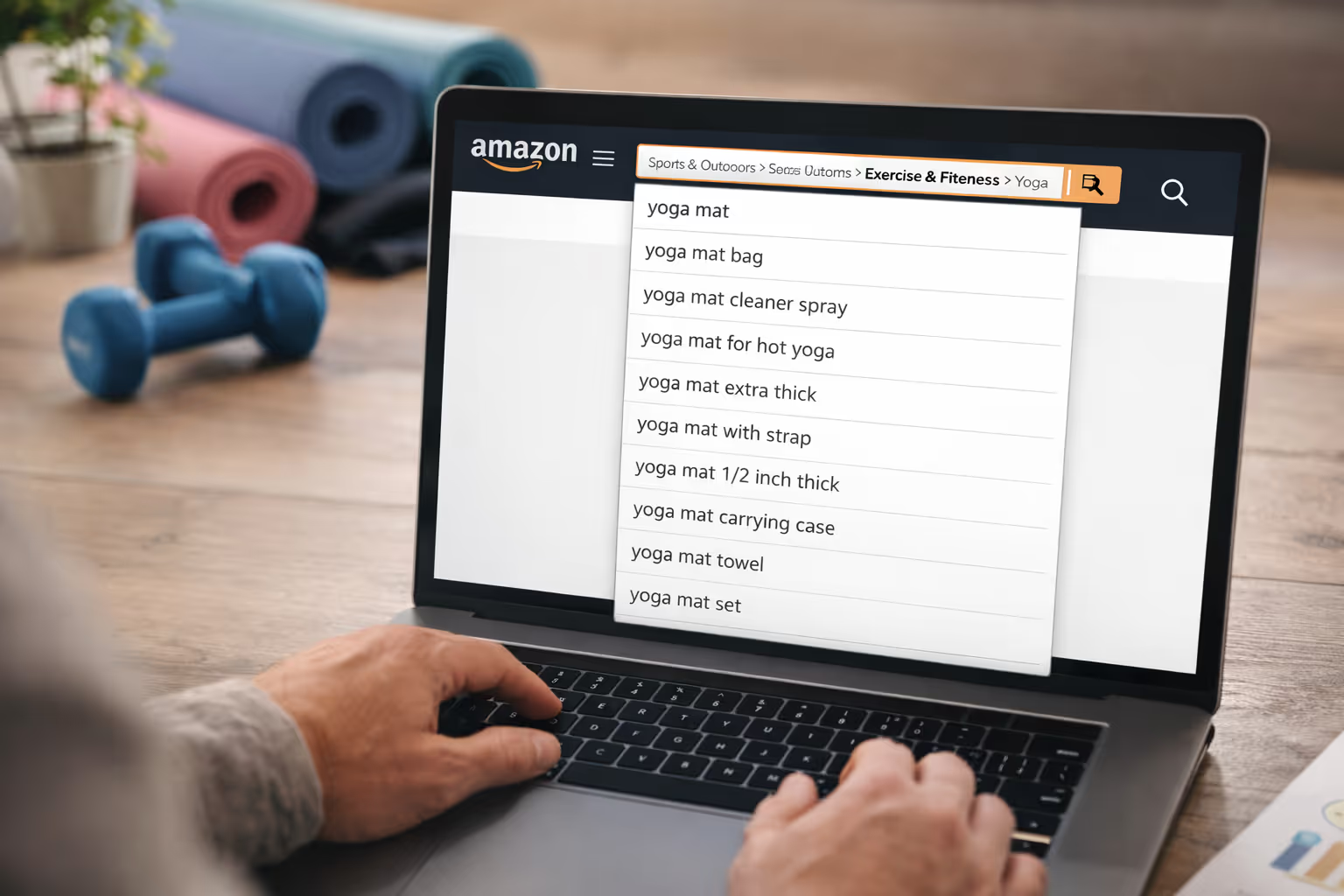
Category-specific autocomplete suggestions are more targeted and niche-focused, revealing specialized long-tail keywords.
Navigate category structures:
- Navigate to your specific category (e.g., Sports & Outdoors > Exercise & Fitness > Yoga)
- Use the search bar within that category; suggestions are now category-filtered
- Repeat in related categories for cross-category discovery
This uncovers keyword opportunities from adjacent categories where customers might also search for your product.
Method 10: Sonar Free Amazon Keyword Tool
Sonar offers completely free reverse ASIN lookup with search volume estimates—perfect for budget-conscious sellers.
Use this free alternative:
- Visit sellics.com/sonar-amazon-keyword-tool (or perpetua.io/sonar-amazon-keyword-tool)
- Enter a competitor ASIN
- View keyword list with search volume estimates
- Export and filter by the minimum search volume threshold
While not as comprehensive as premium tools, Sonar provides solid baseline data for validating your keyword strategy.
Consolidating Your Research
Create a master spreadsheet with these columns: keyword phrase, estimated search volume, keyword difficulty, relevance score (1-10), current competitor ranking, keyword source, and priority level.
Pro tip: Combine 3-5 methods for comprehensive coverage. Manual methods (2, 4, 5, 6) reveal customer language; tool-based methods (1, 10) provide volume data; competitive analysis (7, 8) shows commercial intent.
This approach captures keywords from every angle, giving you the complete foundation to dominate your Amazon niche.
Turn Competitor Keywords Into Sales: Your 90-Day Implementation Blueprint
Discovering competitor keywords is only half the battle; the real magic happens when you strategically implement them across your Amazon presence.
Here's your step-by-step roadmap to transform raw keyword data into ranking improvements and increased sales.
Validate Keyword Relevance for YOUR Product
Not every competitor keyword deserves a spot in your listing or PPC ads. Before implementing any keyword, run it through this three-question filter:
Does this keyword accurately describe your product's core features?
If a customer searches this term and lands on your listing, will they find exactly what they're looking for? Irrelevant keywords tank your conversion rate, which signals Amazon's algorithm that your product isn't a good match.
Would someone searching this term be ready to purchase?
High-intent keywords include modifiers like "buy," "best," "reviews," or specific product specifications. Informational keywords like "how to use" or "what is" attract browsers, not buyers. Focus on purchase-intent keywords that indicate buying readiness.
Can you realistically rank for this keyword?
If the top 10 results all have 5,000+ reviews and you're sitting at 47 reviews, targeting that ultra-competitive keyword is a waste of effort. Start with medium-competition keywords where you have a fighting chance.
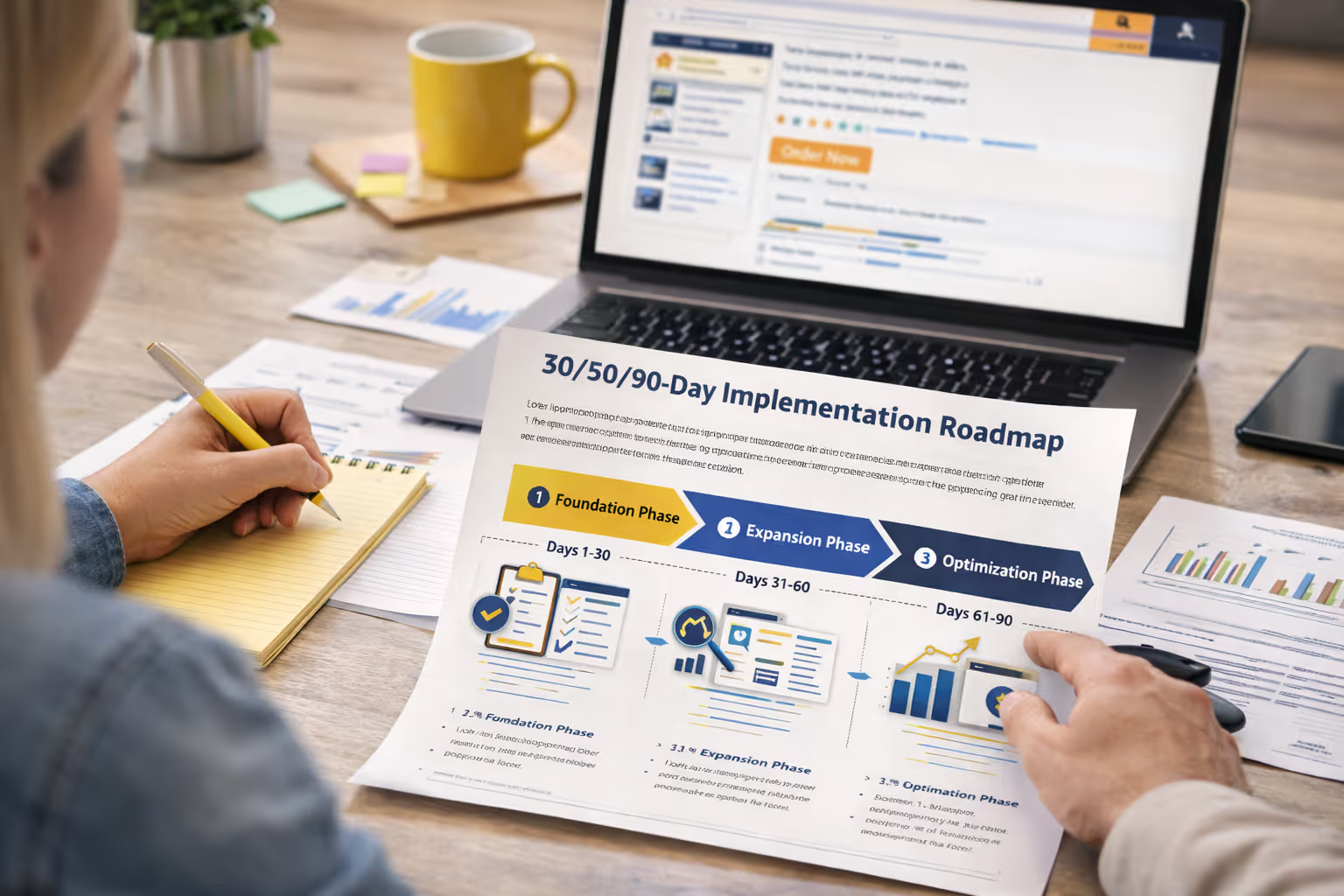
Your 30/60/90-Day Implementation Roadmap
Break your keyword implementation into three strategic phases to avoid overwhelming Amazon's algorithm with sudden changes.
Days 1-30: Foundation Phase
Implement your top 10-15 high-relevance keywords in your listing. Update your title with the primary keyword, weave 3-5 secondary keywords naturally into bullet points, and fill backend search terms with variations and long-tail phrases. Launch a manual PPC campaign targeting your highest-intent keywords to generate immediate visibility and sales velocity.
Days 31-60: Expansion Phase
Analyze your PPC search term reports to identify which keywords are converting. Add these proven performers to your organic listing during your next optimization window. Create automatic PPC campaigns to discover related keywords you might have missed. Begin tracking your organic ranking positions for your target keywords weekly.
Days 61-90: Optimization Phase
Review performance data and double down on winners. If certain keywords are driving sales through PPC but you're not ranking organically, increase their prominence in your listing. Cut underperforming keywords from PPC to reallocate budget. By day 90, you should see measurable ranking improvements for 60-70% of your target keywords.
Strategic Keyword Placement: Where Each Keyword Goes
Different sections of your listing carry different ranking weights, so place your keywords strategically for maximum impact.
Title (200 characters): Title should begin by adding a brand name, after which you would include your absolute highest-volume, most relevant keyword.
Once the keyword/product type is included, it is recommended to mention the primary benefit, and the remaining places in the second part of the title are reserved for things that differentiate the product. To sum it up, the ideal title formula would look like this:
Brand + Product Type – Primary Benefit | Supporting Features + What's Included, Size
Bullet Points (5 bullets): Each bullet should feature one secondary keyword while maintaining natural, benefit-focused copy. Bullets rank nearly as strongly as your title, so integrate keywords seamlessly without sacrificing readability.
Backend Search Terms (250 bytes): This is where you dump synonyms, misspellings, alternative phrases, and keywords that don't fit naturally in visible content. No repetition needed, Amazon indexes each unique word once. Use every single byte available.
PPC Campaigns: Start with exact match campaigns on your 10 highest-intent keywords, phrase match on 20-30 medium-intent keywords, and broad match on 5-10 discovery keywords. PPC serves double duty: immediate visibility and organic ranking acceleration through sales velocity.
Testing Your Keyword Strategy
Amazon's A/B testing tool (if you have Brand Registry) lets you test title variations directly. Without it, implement keywords in phases and measure the impact over 2-3 weeks before making additional changes. Track these metrics: organic rank position, click-through rate, conversion rate, and total sales.
Change one variable at a time; if you update your title, bullets, and backend simultaneously, you won't know which change drove results.
Timeline for Ranking Improvements
Be realistic: keyword rankings don't happen overnight. Most sellers see initial movement within 14-21 days for low-competition keywords. Medium-competition keywords typically take 45-60 days of consistent sales velocity and optimization. High-competition keywords may require 90-120 days plus strong review velocity.
The key is sustained momentum; combine organic optimization with PPC to create the sales history that tells Amazon your product deserves to rank. Monitor progress weekly, but evaluate strategy changes monthly to give your efforts time to compound.
Using Competitor Keyword Data To Stay Ahead Of Ranking Shifts
Amazon rankings don’t reward guesswork; they reward sellers who observe, adapt, and execute faster than competitors. By systematically uncovering competitor keywords, validating intent, and deploying them across listings and PPC with a clear 30/60/90-day plan, you stop reacting to algorithm changes and start staying ahead of them.
The real advantage isn’t just finding keywords, it’s turning competitive data into a repeatable growth system.
If you’re an Amazon seller or Shopify brand already doing serious revenue and want to push profits further, we do this every day at Olifant Digital. We help brands translate keyword intelligence into measurable ranking, revenue, and margin growth, without trial and error.
.webp)
Alex is the founder and CEO of Olifant Digital, where his team manages over $100M in annual Amazon client revenue across 50+ brands, and he runs a 7-figure Amazon brand of his own. That operator background shapes how the agency works: every tactic is tested with his own money before it reaches a client account. He oversees PPC methodology, creative, and conversion rate across all client accounts to make sure Olifant Digital scales brands profitably.


.png)
Mike reviews every Amazon article on this blog for strategic and technical accuracy before it publishes. As Director of Amazon Growth at Olifant Digital, he sets marketing strategy across client accounts and personally audits PPC at every stage of growth. He brings 8 years of daily Amazon operations across 7 and 8-figure brands including Beauty by Earth, Ekster, and Bullstrap, the kind of hands-on depth most agency directors delegate away.


.webp)