

Introduction
Amazon imposes hard caps on keyword volume. If you ignore these limits, your bulk uploads will fail, and your campaign architecture will eventually collapse.
You need a clear map of these boundaries to scale past seven figures without hitting technical bottlenecks.
This article aims to show you exactly how the Amazon ad campaign keyword limit works across campaign types and why it directly impacts scalability.
How Many Keywords Does Amazon Allow In An Ad Campaign: A Clear Breakdown for Advertisers
Amazon imposes hard caps on keyword volume. If you ignore these limits, your bulk uploads will fail, and your campaign architecture will eventually collapse.
You need a clear map of these boundaries to scale past seven figures without hitting technical bottlenecks.
This article aims to show you exactly how the Amazon ad campaign keyword limit works across campaign types and why it directly impacts scalability.
Amazon Keyword Limits Per Campaign: Official Capacity Rules for 2026
When you are scaling a brand and building Amazon PPC campaigns, keyword limits are a structural reality. Amazon enforces strict numerical caps on every campaign type.
Exceeding these limits mid-process stops your momentum and forces you to re-evaluate your entire targeting strategy.
You need to plan your campaigns around these numbers from day one. Here is the breakdown of what Amazon allows.
Amazon's Official Keyword Limits by Campaign Type
Amazon's three main advertising campaign types each have different keyword capacity rules, and understanding these differences is crucial for campaign planning.
Sponsored Products Campaigns: Ad Group-Level Restrictions
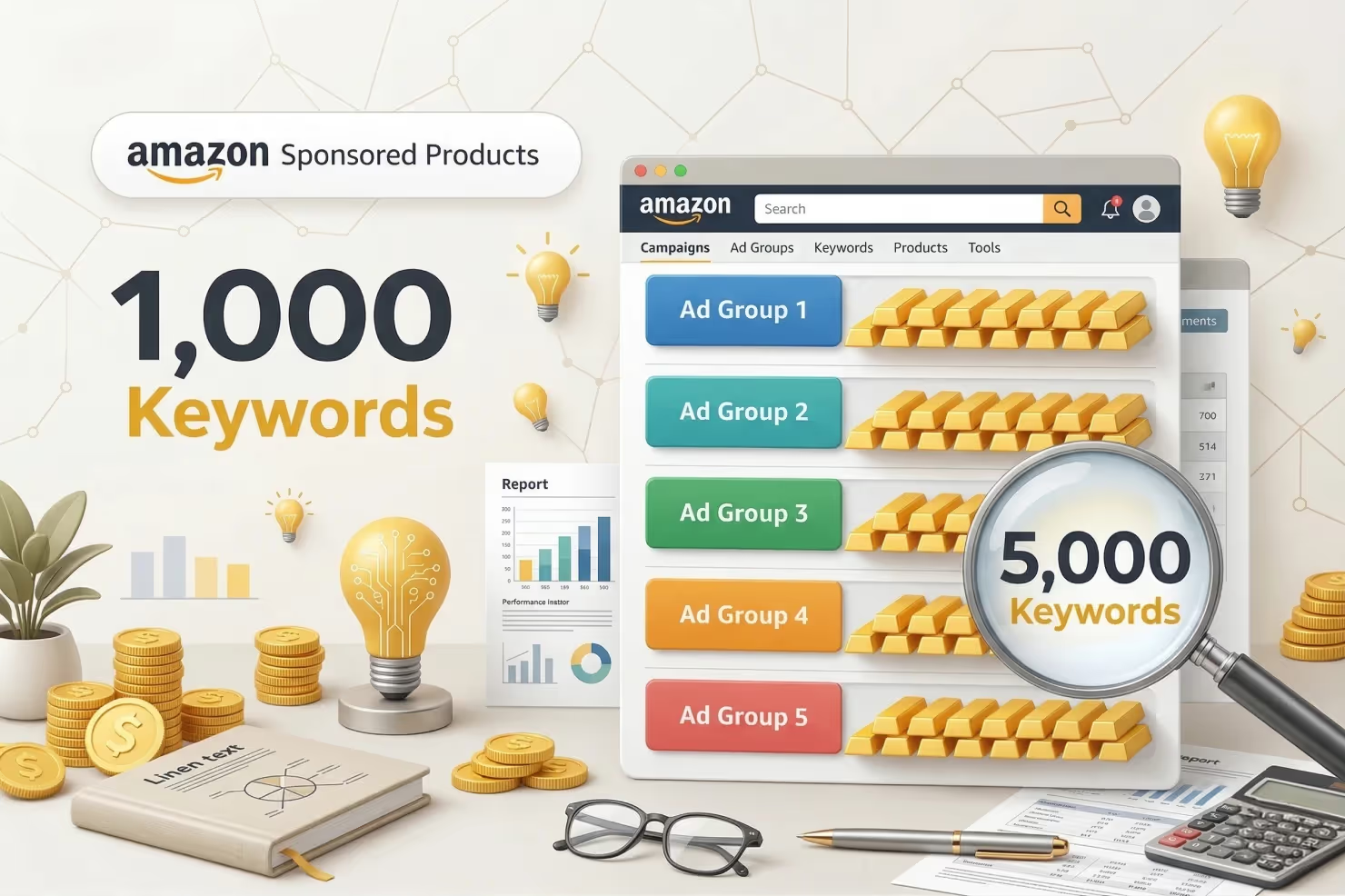
Amazon builds Sponsored Products around ad group limits. This is the most common campaign type and where most sellers run into trouble.
- Maximum of 1,000 keywords per ad group (positive targeting keywords).
- There is no separate campaign-level limit. The restriction lives entirely at the ad group level.
- You can include multiple ad groups in a single campaign. Each one gets a fresh 1,000-keyword allowance.
- A campaign with 10 ad groups could theoretically hold 10,000 keywords.
Why this matters: If you are managing a massive catalog, do not stuff every variation into one ad group. Tighter thematic grouping performs better and keeps you safely under the 1,000-keyword ceiling.
High-volume sellers use this structure to isolate high-performing themes for better bid control.
Sponsored Brands Campaigns: Campaign-Level Restrictions
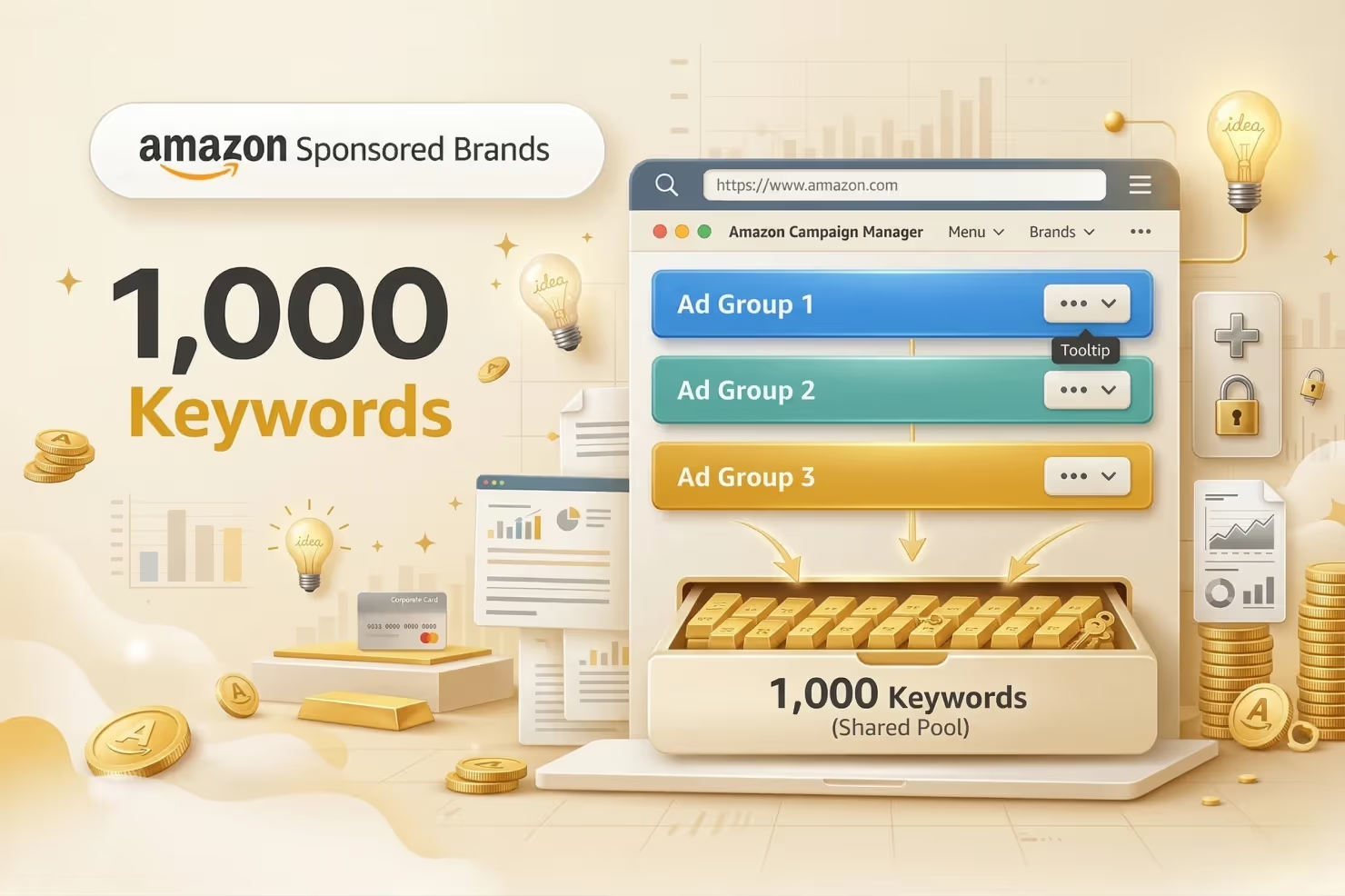
Sponsored Brands use a different logic. The keyword limit applies to the entire campaign, not individual ad groups.
- Maximum of 1,000 keywords per campaign.
- Keywords are shared across all ad groups within that specific campaign.
- If you create five ad groups in one Sponsored Brands campaign, they all pull from the same 1,000-keyword pool.
Strategic implication: You cannot scale Sponsored Brands horizontally by just adding ad groups. Once you hit the 1,000-keyword cap, you must launch an entirely new campaign. This forces you to be more selective with your targeting for headline ads and video placements.
Sponsored Display Campaigns: No Keyword Limits
Sponsored Display does not use traditional keyword targeting.
- This campaign type focuses on product targeting and audience targeting.
- Keyword limits do not apply because you are not bidding on search terms.
- The system relies on contextual targeting (ASINs and categories) and behavioral targeting (shopper interests).
- Instead of managing a list of words, you manage a list of ASINs, categories, or specific audience segments.
Bottom line: Use Sponsored Display when you want to bypass search term competition. It serves a different part of the funnel, but it frees you from the 1,000-keyword management headache.
Negative Keyword Limits: Separate Allowances
Here's where many advertisers get confused: negative keywords have completely separate limits from positive keywords. You're not choosing between positive and negative keywords; you get full allowances for both.
Campaign-Level Negative Keywords
- Up to 1,000 negative keywords per campaign
- These negatives apply across all ad groups within that campaign
- Useful for broadly excluding irrelevant search terms from your entire campaign
Ad Group-Level Negative Keywords
- Up to 1,000 negative keywords per ad group.
- These are additive. They do not subtract from your campaign-level allowance.
- One ad group can have 2,000 total exclusions (1,000 at the campaign level plus 1,000 at the ad group level).
Character and Word Restrictions for Negative Keywords
Amazon limits the complexity of your negatives to prevent accidental traffic suppression.
- Negative phrase match: Maximum of 4 words and 80 characters.
- Negative exact match: Maximum of 10 words and 80 characters.
Why this exists: These rules stop you from being too broad. A 10-word exact match negative is surgical. It blocks a specific, unwanted query without killing your reach for related, profitable terms.
Checking Keyword Count: Track Your Campaign Capacity in Real-Time
Before you hit Amazon's keyword limits mid-campaign, you need to know exactly where you stand. Monitoring your current keyword usage prevents unexpected upload failures and helps you plan campaign expansions strategically.
Here's how to track your keyword count across different methods.
Finding Your Keyword Count in the Advertising Console

The console hides this information unless you know where to click.
- Navigate to Campaign Manager: Log in and select the specific campaign you want to audit.
- Access the Keywords Tab: Click the tab at the top of the interface. This list includes active, paused, and archived terms.
- Check the Keyword Counter: Look at the bottom-left corner of the table. It will say "Showing 1-50 of 420 keywords." That total number (420) is your current count.
- Filter by Ad Group: For Sponsored Products, use the dropdown to check each ad group. You need to see which specific groups are nearing the 1,000-count limit.
Campaign Manager Dashboard View
The Campaign Manager dashboard provides a high-level overview, but it doesn't show keyword counts by default. To see keyword usage at a glance:
- Click into each campaign individually
- Navigate to the Keywords tab
- The keyword count appears at the bottom of the table once the page loads
Limitation: There's no single dashboard view showing keyword counts across all campaigns simultaneously. You'll need to check campaigns one by one or use bulk operations for comprehensive auditing.
Downloading Keywords via Bulk Operations for Full Audit
For advertisers managing multiple campaigns or approaching the 1,000-keyword threshold, bulk operations provide the most comprehensive keyword audit:
Step 1: Access Bulk Operations
- In Campaign Manager, click Bulk Operations from the top menu
- Select Download from the dropdown options
Step 2: Choose What to Download
- Select Keywords from the entity type options
- Choose specific campaigns or download all campaigns
- Click Download to generate your spreadsheet
Step 3: Analyze Your Keyword Count in Excel/Sheets
- Open the downloaded file
- Filter by Campaign ID or Campaign Name to see all keywords in specific campaigns
- Filter by Ad Group to check ad group-level keyword counts for Sponsored Products
- Use Excel's COUNTA function or pivot tables to count keywords per campaign/ad group quickly
Pro tip: Sort by the State column to see only "enabled" keywords. Paused and archived keywords still count toward your 1,000-keyword limit, so include them in your audit.
Why Monitoring Keyword Count Matters Before Scaling
Tracking keyword volume is a core part of account hygiene. It keeps your operations efficient and prevents technical delays.
Prevents Upload Failures
If you try to push 500 new keywords into an ad group that already has 700, Amazon will reject the entire batch. You will spend hours debugging a spreadsheet only to realize it was a capacity issue. Know your numbers before you hit "Upload."
Enables Strategic Keyword Rotation
When you approach 1,000 keywords, you must become a better editor. You can swap out stagnant terms for new experimental ones. Regular audits show you where you have "oxygen" for new growth and where the account is bloated.
Supports Campaign Expansion Planning
If you're planning to scale from 10 products to 100 products, knowing your current keyword density helps you decide whether to add more ad groups, create new campaigns, or consolidate existing keywords.
Working with an Amazon account management agency can help you architect scalable campaign structures that anticipate keyword capacity constraints before they become bottlenecks.
Identifies Keyword Bloat Early
Campaigns with 900+ keywords are usually inefficient. They contain duplicates, low-intent terms, and "ghost" keywords that never get impressions. Auditing the count forces you to clean up the mess before the system forces your hand.
Strategic Keyword Organization: Structuring Campaigns for Maximum Performance
Knowing Amazon's 1,000-keyword limit is one thing; knowing how to organize those keywords for optimal performance is what separates profitable campaigns from budget drains. The way you structure your keywords directly impacts bid control, budget efficiency, and your ability to scale without hitting capacity constraints.

Campaign Structure Strategies
The foundation of effective keyword organization starts with choosing the right campaign architecture for your goals.
Single Keyword Campaigns (SKCs) for Top Performers
Single Keyword Campaigns isolate your highest-converting keywords into dedicated campaigns where they get 100% of the budget. Use SKCs for:
- Keywords that consistently drive 30%+ of your total sales
- High-volume branded terms (your brand name + product type)
- Expensive keywords where precise bid control is critical
When your best keyword shares a campaign with 50 others, Amazon distributes impressions across all of them. In an SKC, every dollar goes to your proven winner.
Thematic Ad Group Clustering (10-15 Keywords Per Theme)
Group semantically related keywords into tightly themed ad groups of 10-15 keywords maximum. For example:
- Ad Group 1: "Wireless earbuds," "Bluetooth earbuds wireless," "true wireless earbuds."
- Ad Group 2: "Noise cancelling earbuds," "anc earbuds," "earbuds with noise cancellation."
- Ad Group 3: "Running earbuds," "workout earbuds," "sports earbuds waterproo.f"
This clustering allows you to set relevant bids for each theme and adjust seasonally (running keywords peak in January, noise-cancelling during work-from-home periods).
Match Type Separation (Exact, Phrase, Broad in Different Ad Groups)
Never mix-match types within the same ad group. Separate them into dedicated ad groups:
- Exact Match: Precise control, highest bids for guaranteed converters (8-12% conversion rate)
- Phrase Match: Moderate bids for discovery and volume (4-8% conversion rate)
- Broad Match: Lower bids for keyword research (2-4% conversion rate)
When match types are mixed, you can't optimize bids appropriately for each type's performance characteristics.
Keyword Segmentation by Performance
Not all keywords deserve equal treatment; organize them based on actual performance data and strategic value.
High-Priority Keywords (Proven Converters)
Keywords with conversion rates above your account average and ACoS within the target range deserve:
- Dedicated ad groups or SKCs
- Aggressive bids to maintain top-of-search placement
- 60% of your total campaign budget
Testing Keywords (New or Unproven Terms)
New keywords need data before classification. Keep them in separate "testing" ad groups with:
- Moderate bids (start at suggested bid)
- 30-day evaluation period minimum
- Clear thresholds (pause if conversion rate <2% after 50 clicks)
- 10% of the budget is allocated to discovery
Branded vs. Non-Branded Keyword Separation
Always separate branded keywords from generic keywords. Branded terms typically have:
- 3-5x higher conversion rates
- Lower CPCs (less competition)
- Different customer intent (brand-aware vs. discovery)
Running them together makes performance data misleading; branded keywords inflate overall conversion rates, hiding poor performance from generic terms.
Budget Allocation Across Keyword Tiers
Strategic budget distribution ensures your best keywords get maximum exposure while leaving room for testing:
60% Budget to Top 20% of Keywords: If you have 100 keywords and 20 consistently drive sales profitably, allocate 60% of your daily budget to campaigns containing only these winners.
30% to Mid-Tier Performers: Keywords that convert but haven't proven themselves as top performers yet. These need a consistent impression share to gather enough data for promotion or demotion.
10% to Testing New Keywords: Reserve 10% for discovering new high-performers, including:
- Keywords harvested from automatic campaigns
- Competitor keywords identified through research tools
- Seasonal terms tested during relevant periods
- Long-tail variations of your top performers
This 60/30/10 split ensures your profitable keywords get priority while maintaining a pipeline of potential new winners.
Organize keywords so optimization decisions become obvious. When every keyword has a clear purpose and dedicated budget allocation, scaling becomes a matter of replicating what works rather than guessing which keywords deserve attention.
Planning Around Keyword Limits Simplifies Campaign Expansion
Keyword limits are the guardrails for your growth. When you understand these caps early, you build a structure that scales without friction. You get cleaner data, better bid control, and zero upload errors.
If your current structure is hitting these limits and your performance is stalling, it is time for a rebuild. At Olifant Digital, we help brands design Amazon frameworks that scale within these rules. If you need a campaign structure that actually grows, I can audit your current setup.
.webp)
Alex is the founder and CEO of Olifant Digital, where his team manages over $100M in annual Amazon client revenue across 50+ brands, and he runs a 7-figure Amazon brand of his own. That operator background shapes how the agency works: every tactic is tested with his own money before it reaches a client account. He oversees PPC methodology, creative, and conversion rate across all client accounts to make sure Olifant Digital scales brands profitably.


.png)
Mike reviews every Amazon article on this blog for strategic and technical accuracy before it publishes. As Director of Amazon Growth at Olifant Digital, he sets marketing strategy across client accounts and personally audits PPC at every stage of growth. He brings 8 years of daily Amazon operations across 7 and 8-figure brands including Beauty by Earth, Ekster, and Bullstrap, the kind of hands-on depth most agency directors delegate away.