

Introduction
When making decisions about what to buy on Amazon, customers will evaluate options, rather than just blindly going to buy what they want.
A shopper feels a sense of accomplishment when they feel they are completing a whole, rather than just getting one item. It is a sensation of “completing a setup”.
Boosting AOV on Amazon is less about aggressive selling and more about intelligent facilitation. Your role isn’t to push products, it’s to guide the shopper’s thought process and help them complete their ideal setup. When you shift from closing sales to completing solutions, AOV increases by default.
How To Increase Average Order Value On Amazon: Proven Strategies That Turn Single Orders Into Bigger Purchases
When making decisions about what to buy on Amazon, customers will evaluate options, rather than just blindly going to buy what they want.
A shopper feels a sense of accomplishment when they feel they are completing a whole, rather than just getting one item. It is a sensation of “completing a setup”.
Boosting AOV on Amazon is less about aggressive selling and more about intelligent facilitation. Your role isn’t to push products, it’s to guide the shopper’s thought process and help them complete their ideal setup. When you shift from closing sales to completing solutions, AOV increases by default.
Maximizing Order Value: 12 Actionable Strategies for Amazon Sellers
Thanking customers for their shopping doesn't mean spending a lot of money on Amazon advertising. It's about smart pricing, the position of the products, and the use of Amazon's tools.
If you use them correctly, they will increase the amount of money customers are willing to spend each time they shop.
Here are twelve strategies you can use to increase your Average Order Value (AOV).
Strategy 1: Create Product Bundles
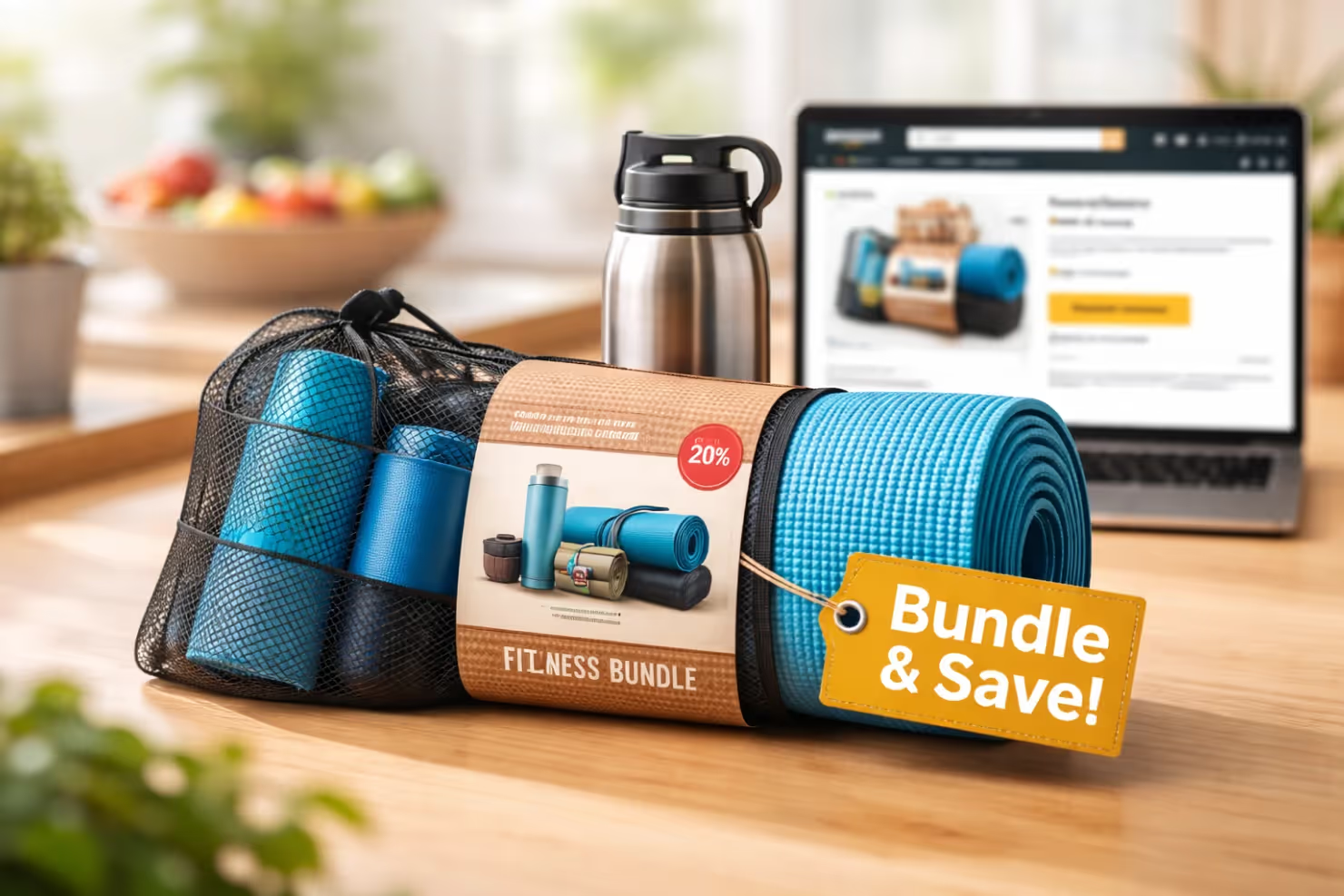
When you combine products, it is one of the quickest ways to add 25-35% on a customer's total spend while offering more value. Maybe a customer is looking at a yoga mat; just a few more dollars and they can also get a yoga mat carrying case, yoga blocks, and straps.
Bundled together, they get a better deal and the customer thinks they are getting a better value. From the customer's perspective, the bundle solves complete use cases. Instead of having to buy the items individually and doing the research, they can get a complete practice setup.
Step-by-step implementation:
- Log in to Seller Central → Inventory → Add a Product
- Select "Create a new product listing" and choose your category
- Add multiple items as a bundle under a new combined SKU, which also unlocks the ability to run Vine reviews and generate early social proof
- The price bundle is 15-20% lower than the individual item total
- Include "Bundle," "Pack," or "Set" in your title following this structure: Brand + Product Type – Primary Benefit | Supporting Features + What's Included, Size
- Upload lifestyle images showing all bundled items together
- Highlight total value vs. bundle price savings in bullet points
- Use A+ Content comparison modules to showcase what's included
Example title: "FlexFit Yoga Bundle - Complete Practice Kit | Non-Slip Mat + 2 Blocks + Strap | Includes Carrying Bag, Premium 6mm"
Pro Tip: Start testing different bundle combinations with your Amazon Basket Analysis report so you can identify which products customers already purchase together.
This data-driven approach ensures your bundles align with actual buying behavior, dramatically improving conversion rates.
Strategy 2: Enroll Products in Subscribe & Save
Subscribe & Save turns one-time buyers into loyal repeat customers, significantly boosting customer lifetime value (LTV). While the per-order discount means a slightly lower AOV per transaction, the predictable recurring revenue and reduced churn make it a powerful growth lever.
Customers who subscribe are more likely to stick with your brand, reducing the cost of re-acquisition over time. The convenience factor alone keeps them coming back without any additional marketing spend on your end.
Implementation process:
- Navigate to Growth → Explore Programs → Increase Conversion → Subscribe & Save in Seller Central.
- Review eligible products; focus on consumables and replenishables that customers reorder regularly.
- Eligible FBA products are often auto-enrolled; you can manage and adjust your seller-funded discount (0%, 5%, or 10%) directly from the Subscribe & Save dashboard.
- Amazon automatically displays the Subscribe & Save discounted price on the listing; no additional setup or image changes are needed.
- Monitor performance directly from the Dashboard tab of the Subscribe & Save tool in Seller Central, which tracks active subscribers, retention, sales data, and subscription inventory planning all in one place.
Once enrolled, Amazon surfaces your product to shoppers actively looking for subscription options. Use the funding strategy insights in your dashboard to test discount levels and find the threshold that maximizes both conversions and margin.
Strategy 3: Optimize Frequently Bought Together (FBT)
Amazon’s FBT feature drives 20-30% of customers to buy complementary items. The algorithm prioritizes products bought in the same session. It feels like a personalized recommendation, not an ad.
You must ensure your product ecosystem supports these natural cross-purchases.
How to optimize FBT:
- Access Brand Analytics → Amazon Basket Analysis report.
- Identify what customers buy with your ASINs.
- Source complementary items if gaps exist.
- Keep complementary products in stock.
- Price items to encourage combined purchases.
- Add comparison modules in A+ Content featuring these items.
Example: If you sell yoga mats, offer blocks and straps. Customers will see these in the FBT section and add them to the cart simultaneously.
Strategy 4: Implement Quantity Discounts
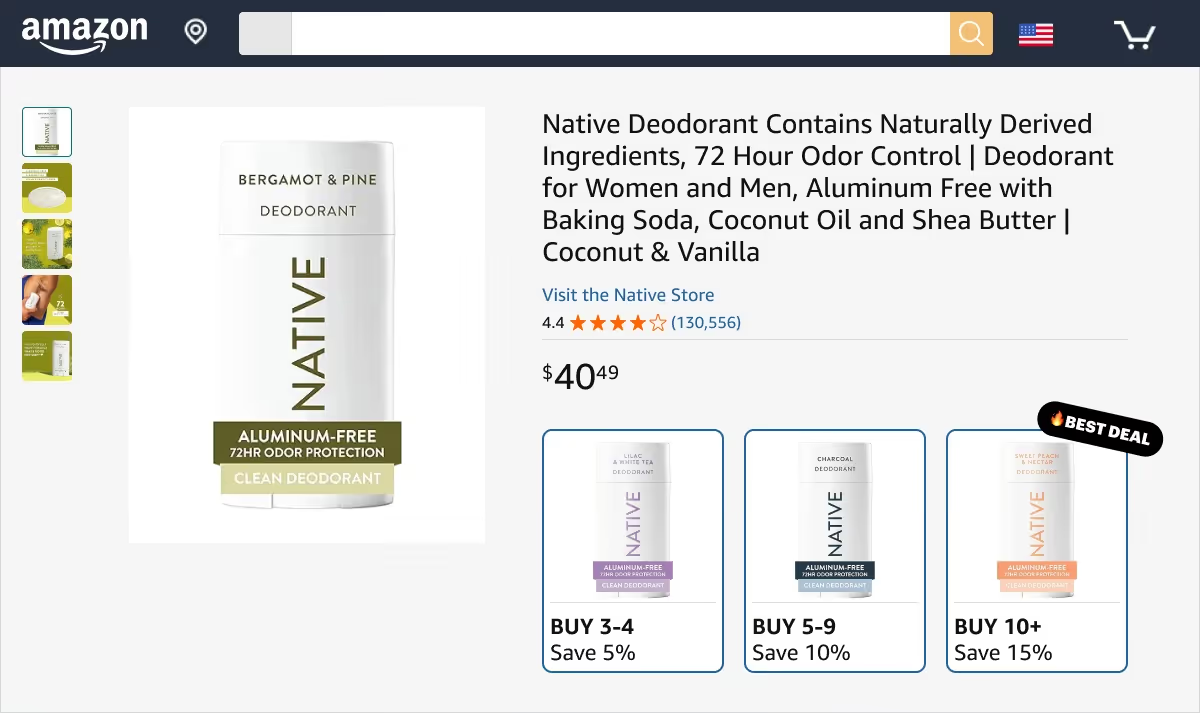
Quantity discounts work for B2B buyers and retail customers stocking up. This results in a 15-25% increase in units per order.
Customers see better value because the per-unit cost drops. They maximize savings even if they don't need the extra units immediately.
For Amazon Business sellers:
- Enroll in Amazon Business (Seller Central → Programs → Amazon Business)
- Navigate to Inventory → Business Pricing
- Select products suitable for bulk buying
- Set tiered pricing: 3-4 units (5% off), 5-9 units (10% off), 10+ units (15% off)
- Ensure adequate inventory for bulk orders
For all customers via coupons:
- Go to Advertising → Coupons
- Create a coupon with a "Purchase amount" requirement
- Set discount: "Buy 2, get 10% off" or "Buy 3, get 15% off."
- Set budget and duration (coupon displays automatically on product page)
Strategy 5: Create Multi-Pack Listings
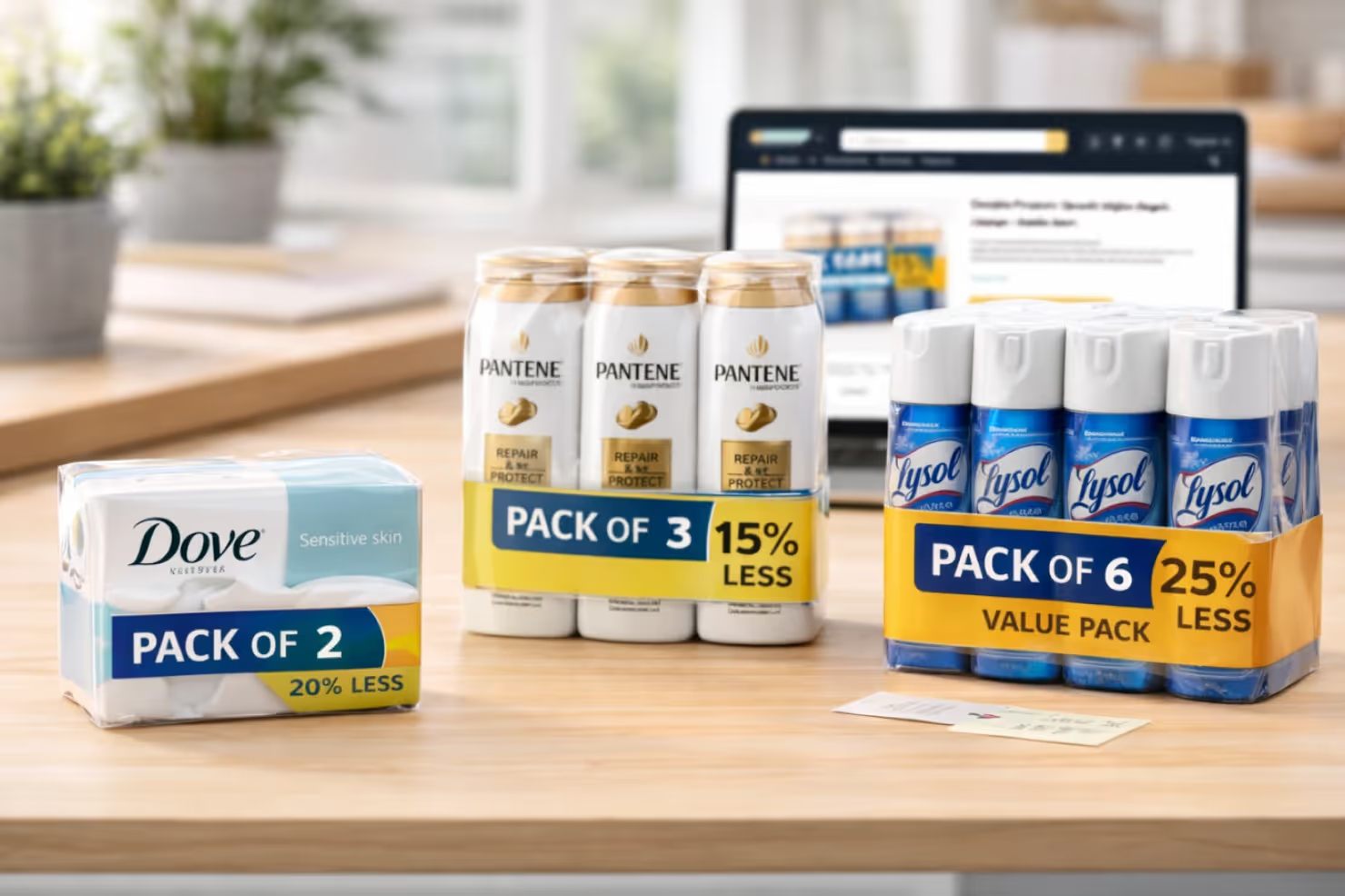
Multi-pack listings deliver 2-3x AOV compared to single-unit purchases while reducing customer acquisition costs per unit sold.
Setup process:
- Analyze single-unit sales data for high-velocity items
- Create 2-pack, 3-pack, or 6-pack variations
- Navigate to Seller Central → Inventory → Add Product → Create new listing
- Use a unique UPC/EAN for a multi-pack (or apply for GTIN exemption)
- Price with 10-15% perceived savings vs. individual purchases
- Use title format following Amazon's optimal structure: Brand + Product Type – Primary Benefit | Supporting Features + What's Included, Size
- Main image: Show multiple units clearly visible
- Add lifestyle image demonstrating multi-pack value
Example title: "PureSip Water Bottles - Pack of 6 | BPA-Free Hydration | 32oz Sports Design"
Pro Tip: Multi-packs work best for consumables and household items. 6-packs perform well during back-to-school and holiday seasons.
Strategy 6: Add Premium Product Variants
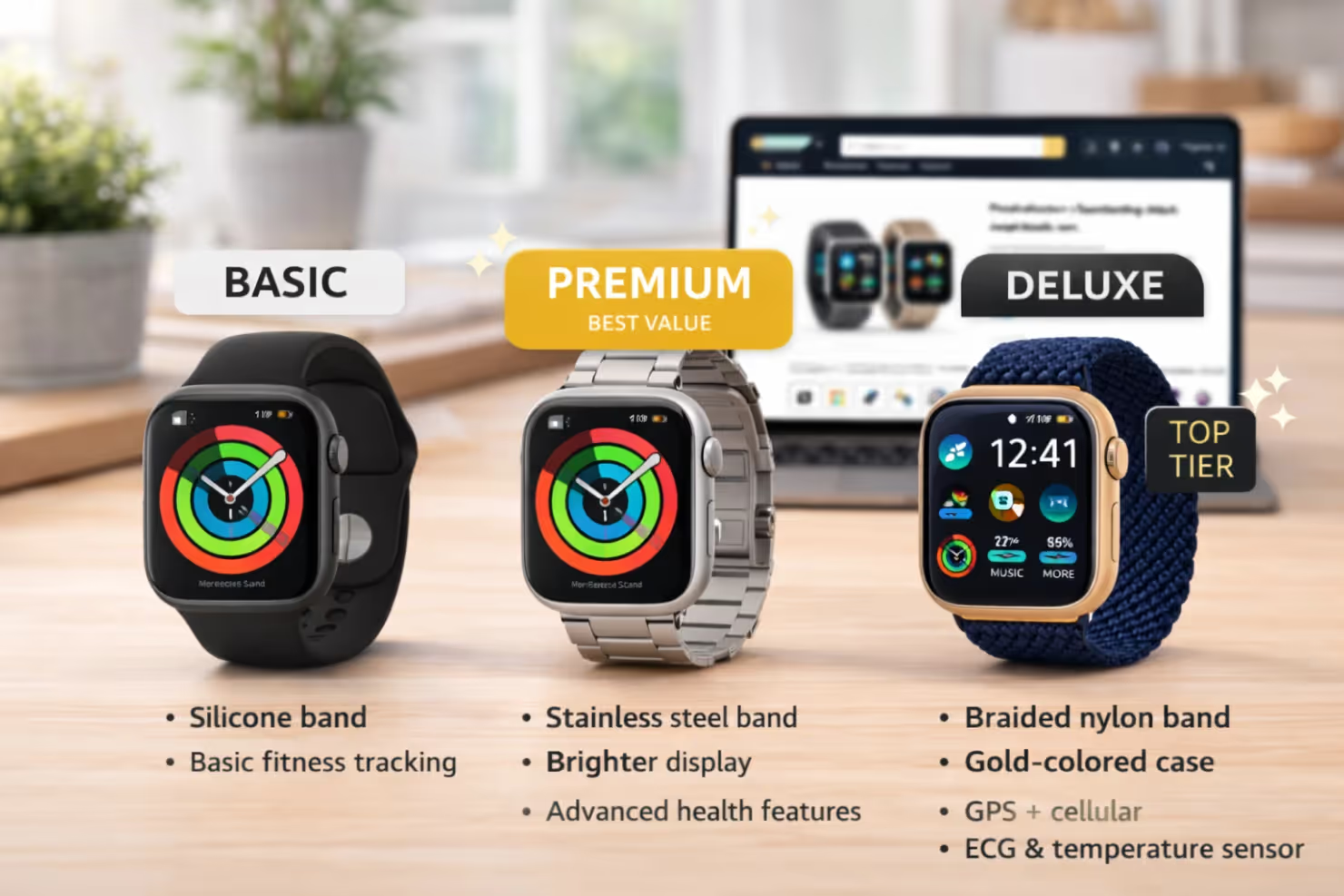
Tiered variations convert 20-30% of shoppers to higher-priced options.
Present three options: Good, Better, Best. This creates an anchor effect. The premium option makes the middle tier seem reasonably priced. The middle option becomes the "smart compromise."
Implementation steps:
- Add higher-value child variations to the parent ASIN.
- Inventory → Manage All Inventory → Edit → Variations.
- Create the structure: Size (S/M/L) or Tier (Basic/Premium/Deluxe).
- Price premium variants 30-50% higher.
- Use variation theme images to show the difference.
The decoy pricing makes the middle option the logical choice.
Strategy 7: Optimize Virtual Product Bundles
Virtual bundles increase AOV by 15-20% without inventory risk. You do not need physical prep or extra storage fees.
Getting started:
- Enroll in Amazon Brand Registry (Required).
- Go to Inventory → Manage Virtual Bundles.
- Select 2-5 complementary ASINs.
- Set the bundle price (10-15% less than individual items).
Amazon creates a unique ASIN. It appears in search results and on product pages. You capture the sale without fulfillment complexity.
Strategy 8: Use Lightning Deals for High-Value Products
Lightning Deals on premium items increase session AOV by 35-45%.
The countdown timer creates scarcity. Featuring higher-priced items ensures every sale contributes more to your revenue total.
Setup instructions:
- Advertising → Lightning Deals.
- Select high-priced products with good margins.
- Set the deal price (20-30% off).
- Choose prime time slots (evenings/weekends).
Example: Do not run deals on your $15 entry-level product. Feature the $75 premium version. The deal badge drives urgency; the price point drives AOV.
Strategy 9: Cross-Sell via A+ Content Modules
Strategic A+ Content drives 10-15% of viewers to complementary products. It positions additional items as solutions, not sales pitches.
Module strategy:
- Advertising → A+ Content Manager.
- Add a Comparison Table Module featuring 3-4 catalog products.
- Include a "Frequently Paired With" section in the text.
- Link module images to complementary ASINs.
Position this content after the main product info. Once convinced of the brand quality, customers are more likely to explore additional items.
Strategy 10: Leverage Posts for Bundle Visibility
Amazon Posts deliver a 5-10% AOV lift from traffic.
Posting strategy:
- Advertising → Posts.
- Create posts with lifestyle photos showing 2-3 products in use.
- Tag all products in the image.
- Write captions highlighting the combined value.
- Post 3-4 times weekly.
Posts appear in category feeds and on detail pages. Customers discover your complementary products naturally.
Strategy 11: Add "Complete the Set" in Brand Store
Brand Store visitors purchase 1.5-2x more items when collections are curated. You control the browsing experience here.
Store setup:
- Stores → Manage Stores.
- Create a "Bundles" or "Collections" page.
- Use Store Insights to see what customers view together.
- Create themed collections: "Starter Kit," "Complete System."
- Drive traffic via Sponsored Brands ads.
Pro Tip: Your Brand Store is the only place on Amazon where you control the entire customer experience. Use this advantage to guide customers toward your highest-AOV product combinations.
Strategy 12: Implement Tiered Pricing Psychology
The "Good-Better-Best" pricing strategy converts 40-50% of customers to the middle tier and 15-20% to premium options, both significantly higher than base AOV.
The presence of three options reduces decision paralysis (fewer than three feels limiting, more than three feels overwhelming) while the middle option benefits from being neither the cheapest nor most expensive choice.
Creating your tiers:
- Develop 3 price points: Good (base), Better (1.5x base), Best (2x base)
- Structure as variations within the same parent ASIN
- Make the middle option the clear best value
- Use variation labels: "Basic," "Premium - Most Popular," "Deluxe."
- Use bullet points to clearly differentiate features
- Default to middle-tier selection when possible
The middle tier should offer noticeably better features at a modest price increase, making it feel irresistible compared to the basic version while keeping the premium option visible as the "ultimate" choice for serious buyers.
Start implementing these strategies today, beginning with the quick wins like Subscribe & Save and multi-pack listings, then gradually expand to more advanced tactics.
Track Your Progress: Measuring Amazon AOV Performance That Actually Matters
The harsh truth? Most sellers implement AOV strategies but never verify if they're working. Without consistent tracking, you're essentially flying blind.
You will find yourself spending time and money on tactics that can hurt your profitability.
And what’s the difference between successful sellers and those who plateau? Obsessive measurement.
Tracking your Average Order Value isn't complicated, but it requires knowing exactly where to look and what numbers actually matter.
Here's your complete system for monitoring AOV performance and making data-driven decisions that improve your bottom line.
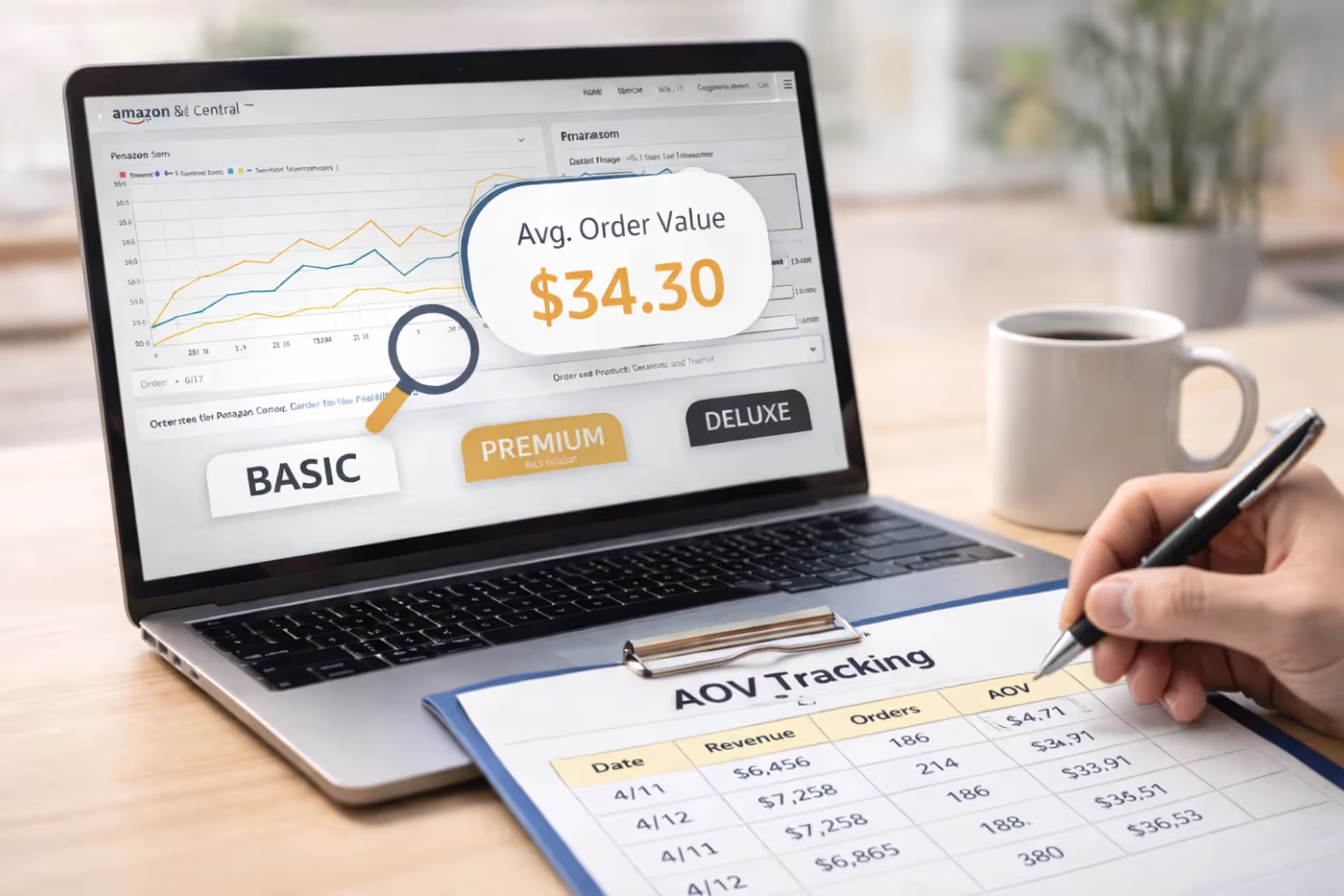
Finding Your AOV Data in Seller Central
Amazon does not display AOV as a single metric. Calculate it manually.
- Go to Reports → Business Reports → Detail Page Sales and Traffic.
- Look at Ordered Product Sales and Orders.
- Formula: Total Revenue ÷ Total Orders = Average Order Value.
Note: Use "Orders," not "Units." You need to know the value per transaction.
Calculating AOV for Specific Time Periods
Analyze performance across timeframes.
- Weekly AOV: Identifies impacts from new strategies.
- Monthly AOV: Reveals sustainable trends.
- Quarterly AOV: Shows long-term growth.
When you launch a bundle, compare the 7-day AOV before and after to isolate the impact.
Key Metrics to Track Alongside AOV
AOV does not exist in isolation.
- Conversion Rate: If AOV goes up but conversion drops, your pricing is too aggressive.
- Units Per Order: Higher units mean successful bundling.
- Return Rate: Ensure higher AOV doesn't lead to higher returns.
- Profit Per Order: Revenue is not profit. Factor in fees.
Using Third-Party Tools for Deeper Insights
While Seller Central provides basic data, third-party tools offer automation and advanced analytics that save hours of manual work:
Helium 10's Profits Dashboard automatically calculates AOV across all your products and compares it against your historical performance. It factors in all Amazon fees to show true profit per order, not just revenue.
Jungle Scout's Sales Analytics provides AOV trending graphs that visualize performance over time, making it easy to spot when strategies start working (or failing). It also segments AOV by traffic source, showing whether organic or PPC customers spend more.
SellerApp's Analytics Suite offers competitor AOV benchmarking, letting you see how your AOV compares to similar sellers in your category. This context helps you set realistic improvement targets.
Setting Realistic AOV Improvement Goals
Don't aim for overnight miracles. A 10-15% AOV increase within 60-90 days is realistic and sustainable when implementing multiple strategies simultaneously. If your current AOV is $35, target $38-40 in your first quarter.
Set tiered goals based on strategy implementation:
- Month 1: 5-8% increase (quick wins like Subscribe & Save, quantity coupons)
- Month 2: Additional 3-5% increase (bundles launch, multi-packs live)
- Month 3: Additional 2-4% increase (optimization and refinement)
Track progress weekly, but only adjust strategies based on monthly data to avoid overreacting to normal fluctuations. Monthly data smooths daily sales velocity fluctuations and gives enough volume to identify true conversion rate patterns versus temporary traffic spikes.
Optimize Units Per Order To Unlock Compounding Revenue
Sustainable Amazon growth comes from structuring orders to be bigger by design. When you increase units per order through bundles, subscriptions, and pricing tiers, AOV compounds, you do this without sacrificing conversion or margins.
The fastest-scaling brands execute systems and measure relentlessly. If you want these strategies implemented with precision, we can build and scale them together at Olifant Digital.